1 / 1
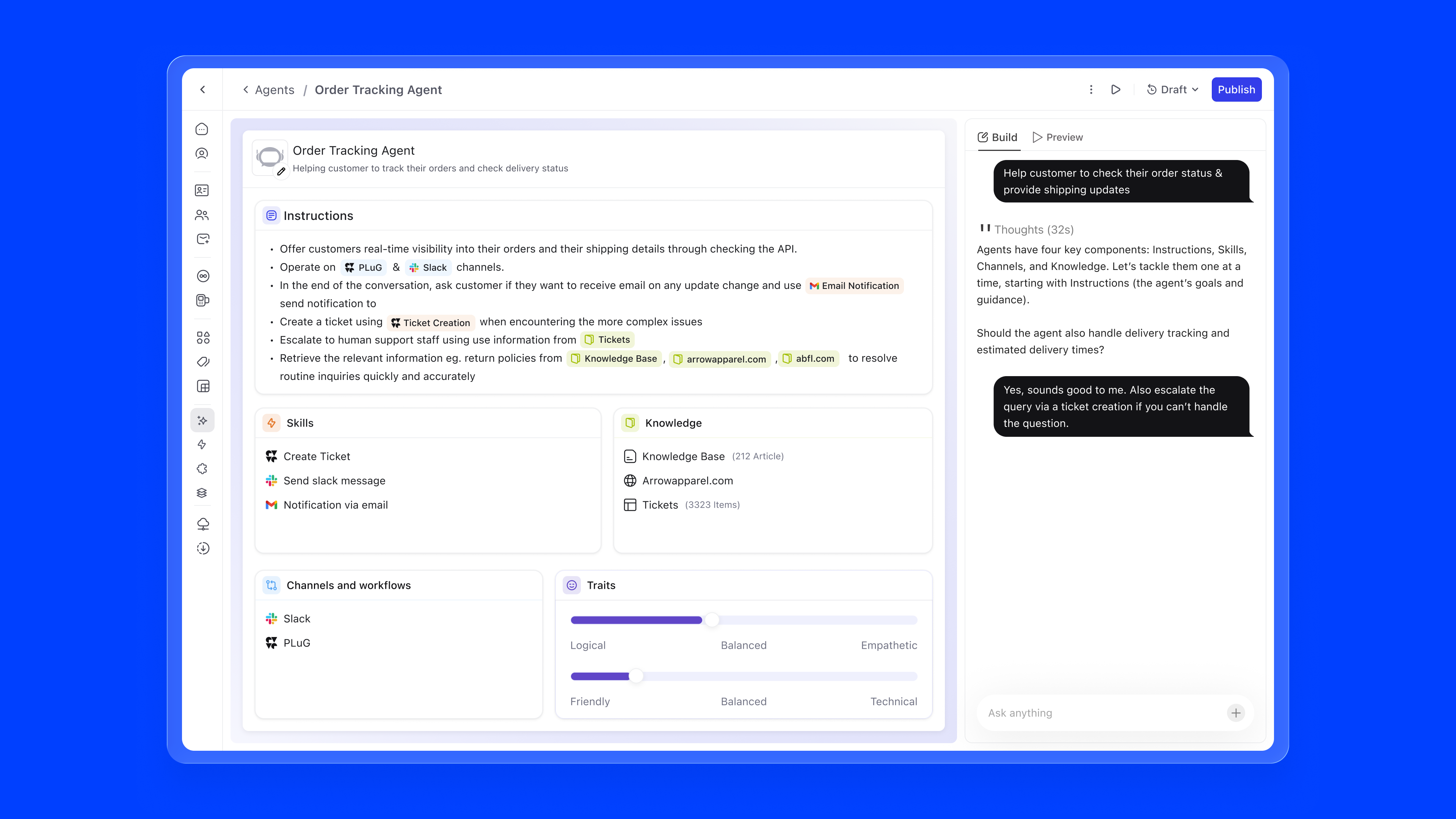
Teams spent their days answering routine questions instead of solving real problems. I designed Agent Builder, a no-code builder that lets support teams create, configure, and deploy AI agents without writing a single line of code.
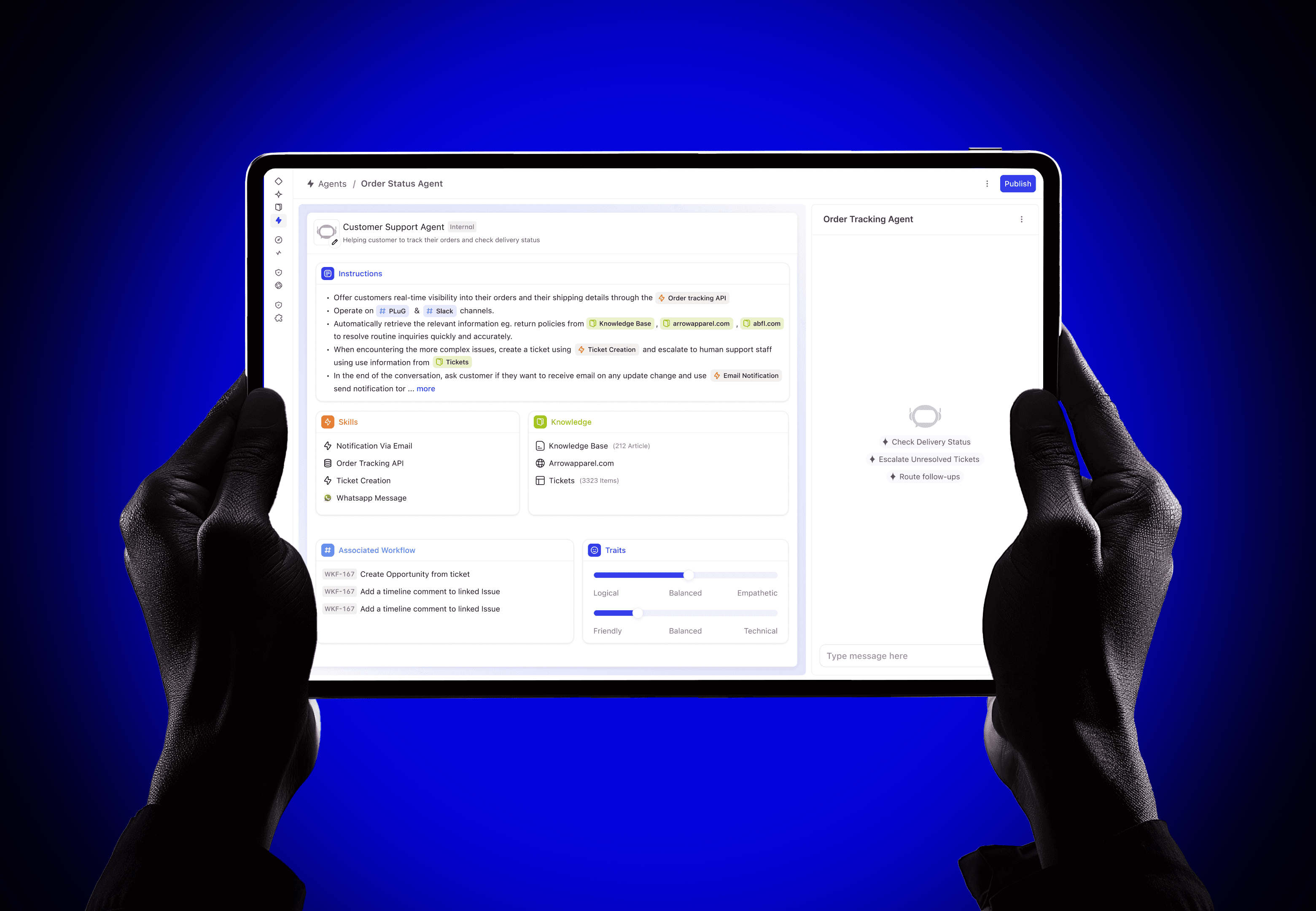
DevRev is a OneCRM platform that unifies product, customer, and work data. It serves teams across the entire organisation: Product, Support, Admin, Engineering, Sales, and Growth, all operating within a single connected system.
Each persona has its own responsibilities, workflows, and tools. Product Managers focus on scoping, analysis, and roadmapping. Support teams handle ticketing, troubleshooting, and prioritization. Account Managers drive engagement, reporting, and expansion.
While their goals differ, all of them rely on a shared foundation of connected data and integrated tooling. The vision was clear: enable agents for everyone, in the system, in a connected network.
Teams were spending their days answering routine questions instead of handling core issues. The existing workflow system could automate simple tasks, but without cognition it couldn't understand intent, adapt to context, or learn from interactions.
When AI agents arrived, they solved the cognition gap, but introduced a new problem: there was no surface for non-technical teams to build, configure, or manage them. Every change required engineering involvement. Every adjustment meant filing a ticket and waiting.
We needed to give agent-building superpowers to the people who understood customer problems best, without requiring them to write code or understand the underlying AI infrastructure.
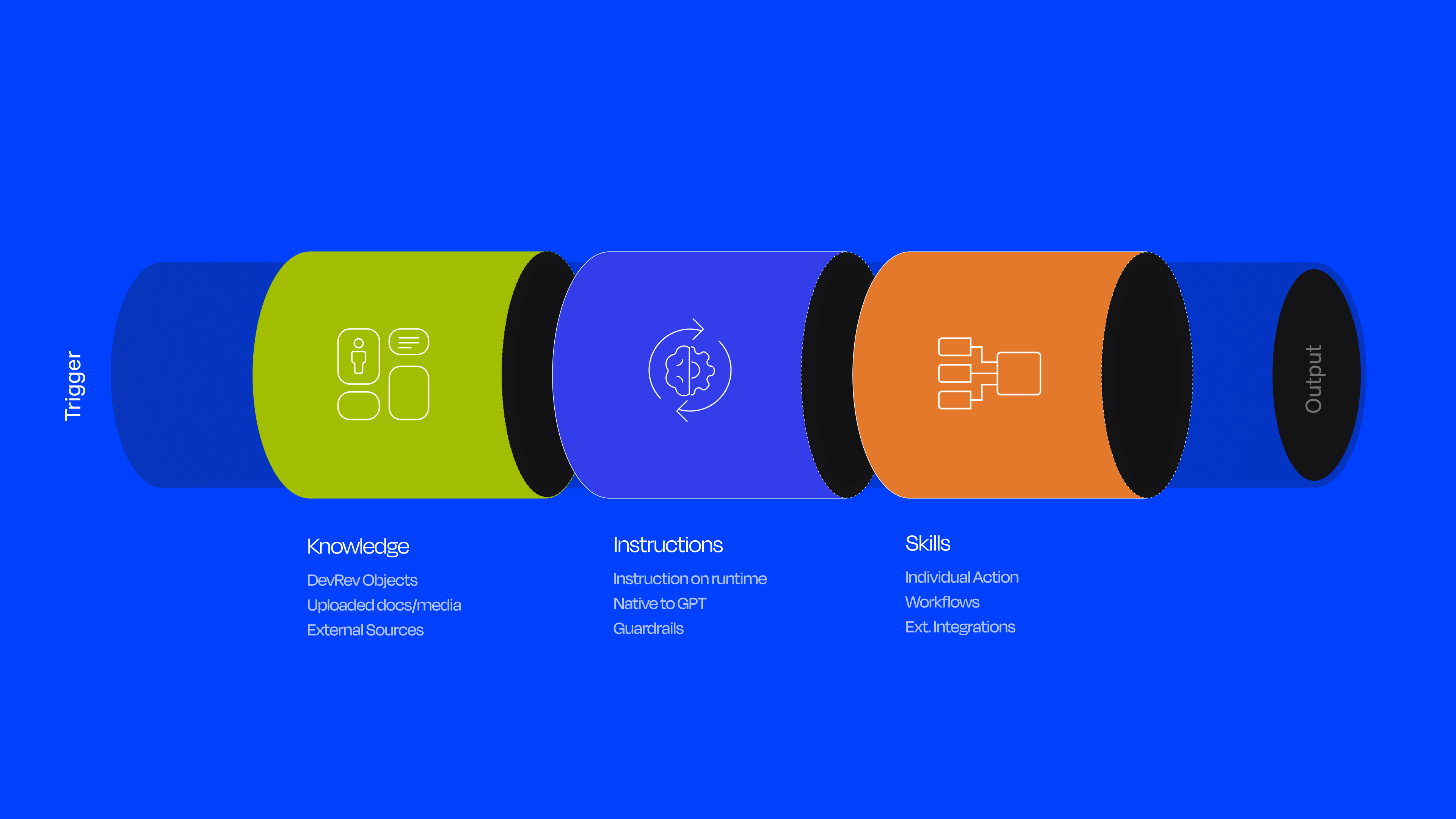
Before designing the builder, I needed to deeply understand the system I was designing for. Working with the engineering team, I mapped the internal architecture of how agents work within DevRev's AgentOS, the platform layer powered by AirSync that supports workflows, search, analytics, and autonomous agent capabilities.
Every agent is composed of four core building blocks, each of which needs to be configurable:
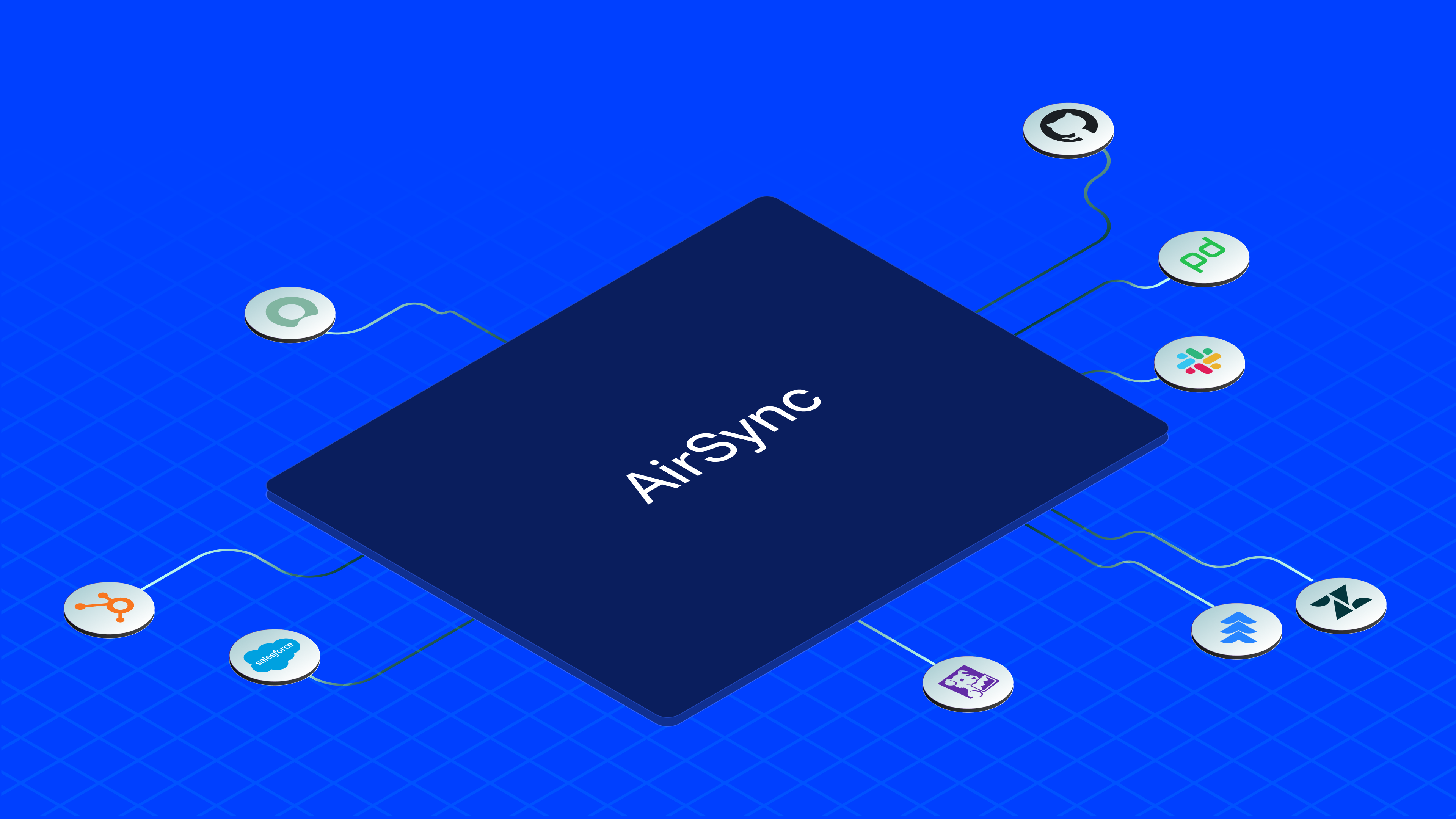
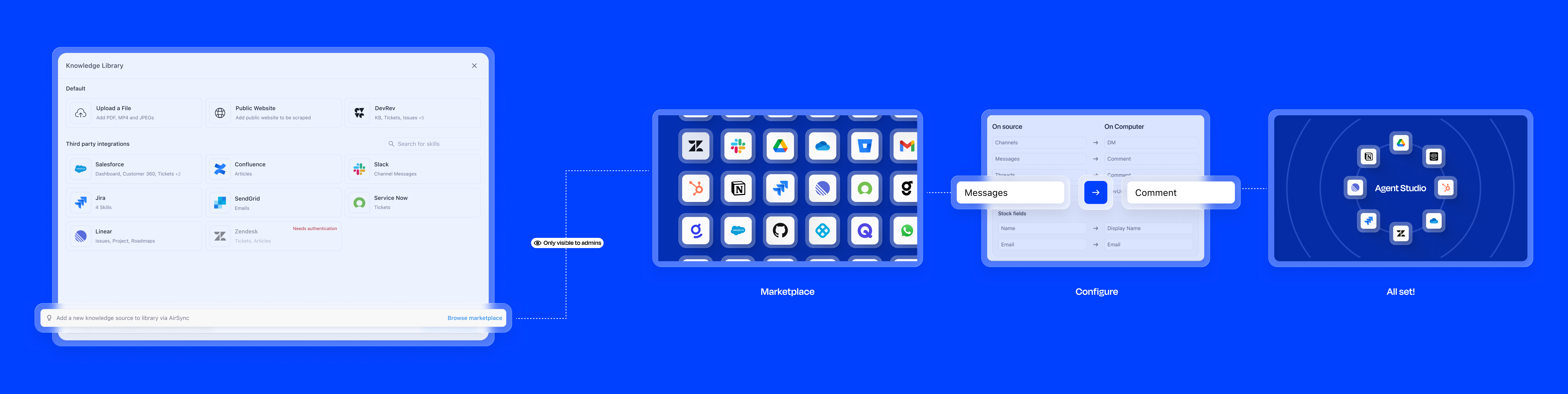
Your data lives across ten different tools (Salesforce, Jira, Zendesk, Slack) and it's always out of sync. AirSync is a two-way sync engine that solves this. It pulls everything into one place, and writes changes back. When an agent resolves a ticket or updates a record, that action reflects in the original tool automatically.
AirSync ships as a marketplace of apps. Once an integration is installed, it becomes the source of both Knowledge (what the agent reads and reasons over) and Skills (what the agent can act on). Users don't wire up data pipelines. They just install an app, and the agent becomes capable.
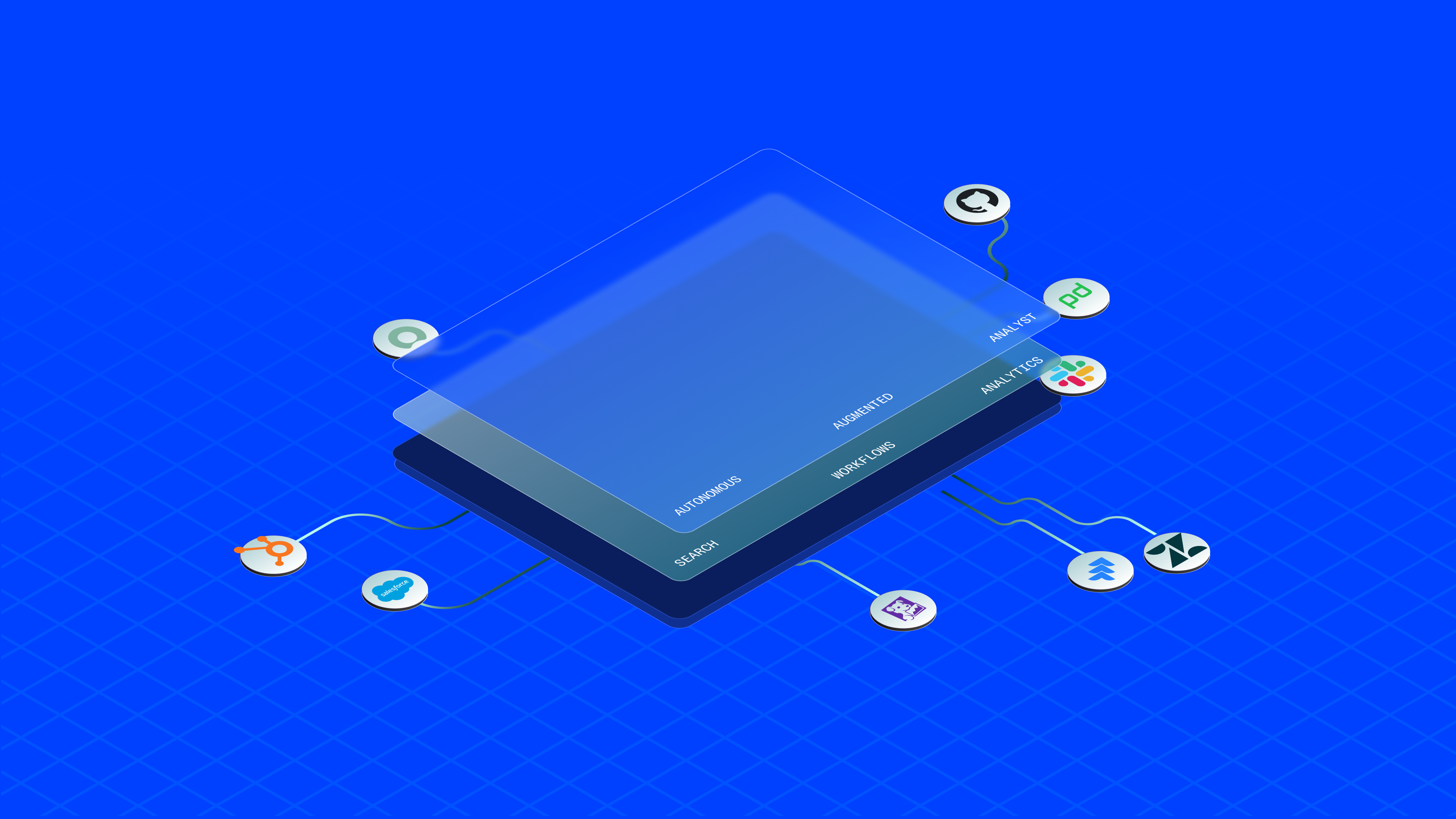
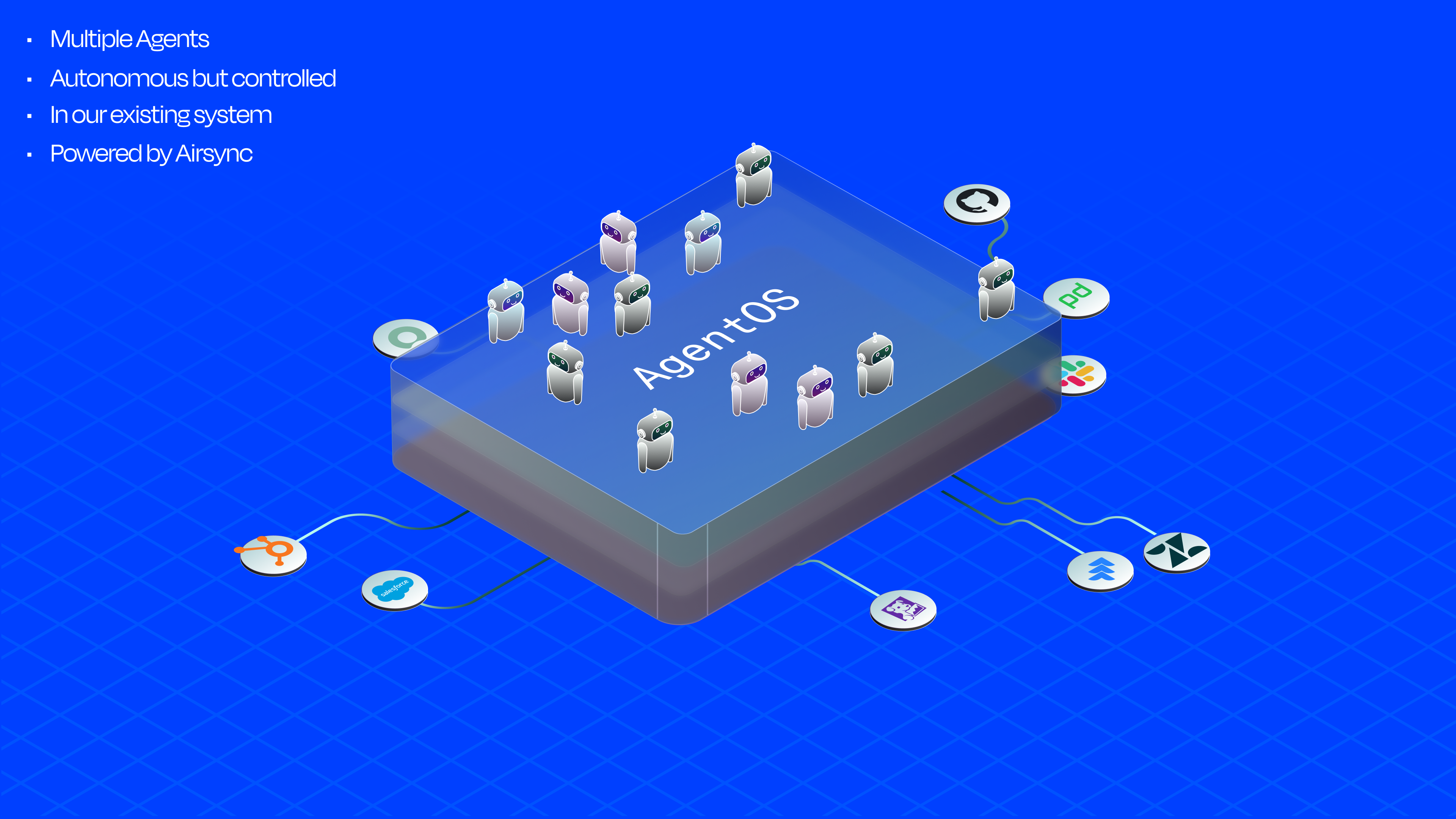
At the centre of the system sits an Omnipresent Agent: a routing layer that intercepts every user query, identifies intent, and figures out which specialised agents to invoke and in what order.
My first instinct was the familiar pattern: a block library on the left, configuration in the middle, preview on the right. Users drag what they need, drop it in, fill it out. Clean on paper. But the moment I put it in front of people, it felt like a tool from the 2000s. The cognitive load of scanning a library, deciding which block applies, figuring out where it goes, it was all friction that had nothing to do with building a good agent.
I scrapped it. Instead of a library you browse, I wanted a surface that builds itself around you. The copilot would be the entry point. You talk to it, describe what you want the agent to do, and it assembles the blocks. No library to scan, no decision about which block fits where. The structure appears as you define intent. The bento layout that emerged from this let users see Instructions, Knowledge, Skills, Tone & Behaviour, and Workflows simultaneously, with the copilot always at hand.
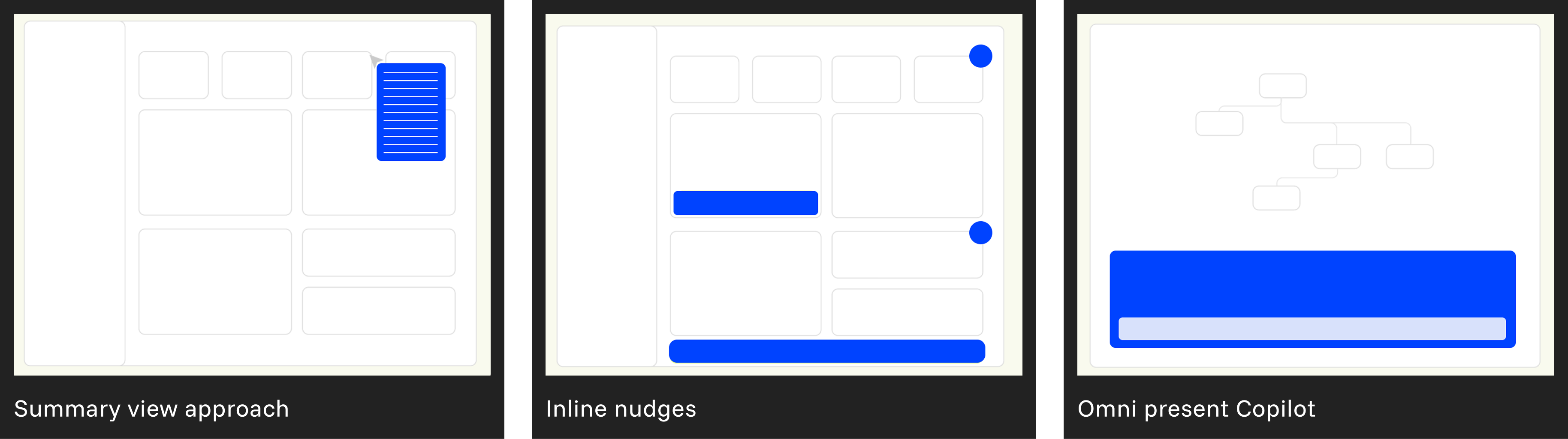
Agent Builder is a single-page builder. Everything you need to configure an agent lives on one surface, with no switching between tabs or hunting through menus. Here's what each piece does:
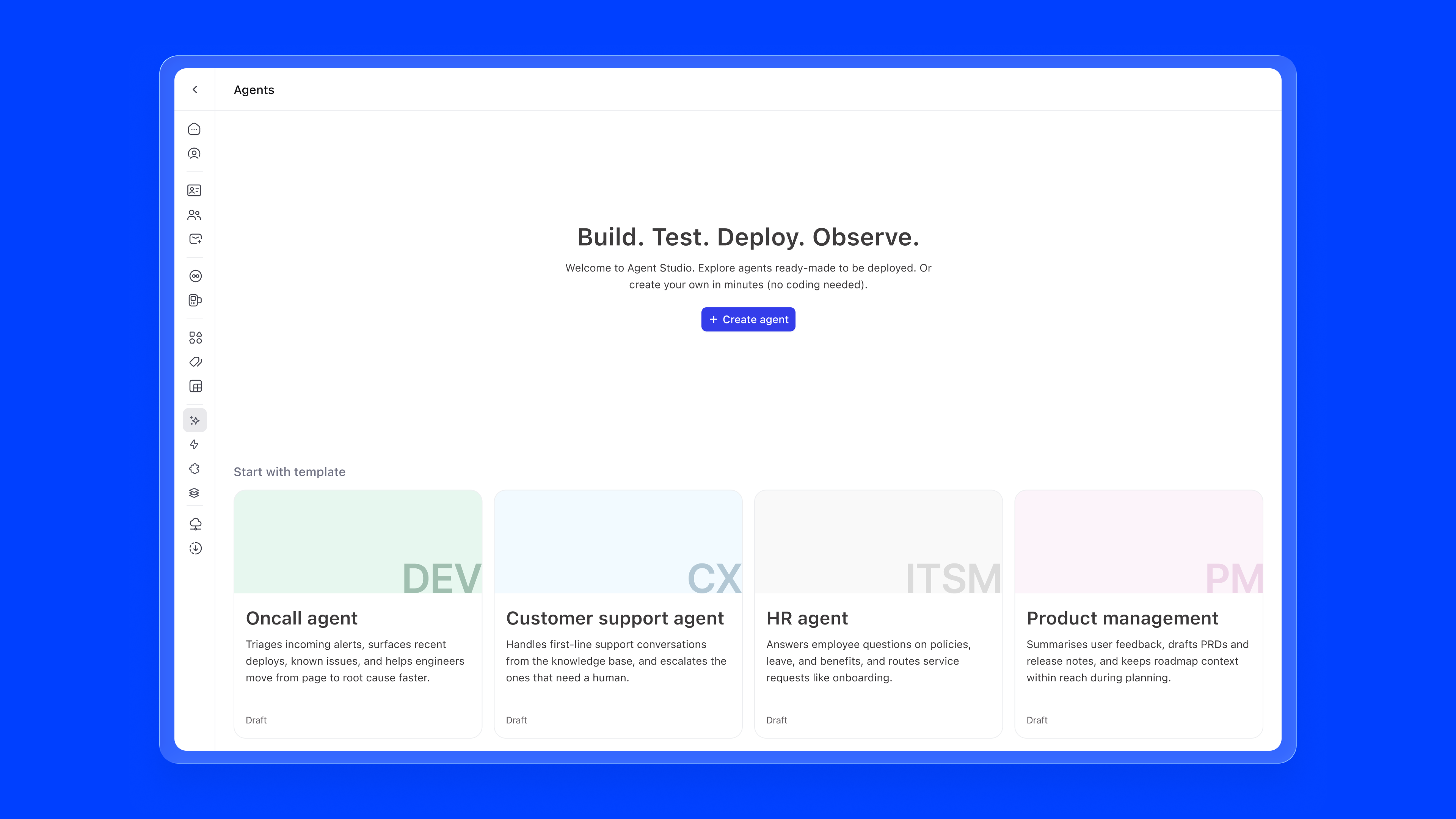
Entry Point. Agent Builder lives in Settings under Agents & Automations, a new section that consolidates Agents, Skills, Workflows, and Templates previously scattered across the platform. Since agent building is an admin responsibility, anchoring it in Settings keeps it intentional and separated from day-to-day work.

Empty State. The first time a user arrives, they're greeted with a clear statement of intent, "Build. Test. Deploy. Observe.", and a single + Create agent button. Below that, four ready-made templates surface the most common use cases out of the box: Oncall Agent, Customer Support Agent, HR Agent, and Product Management Agent. Each maps to a mainstream business function and can be deployed immediately or customised. No blank-canvas anxiety.
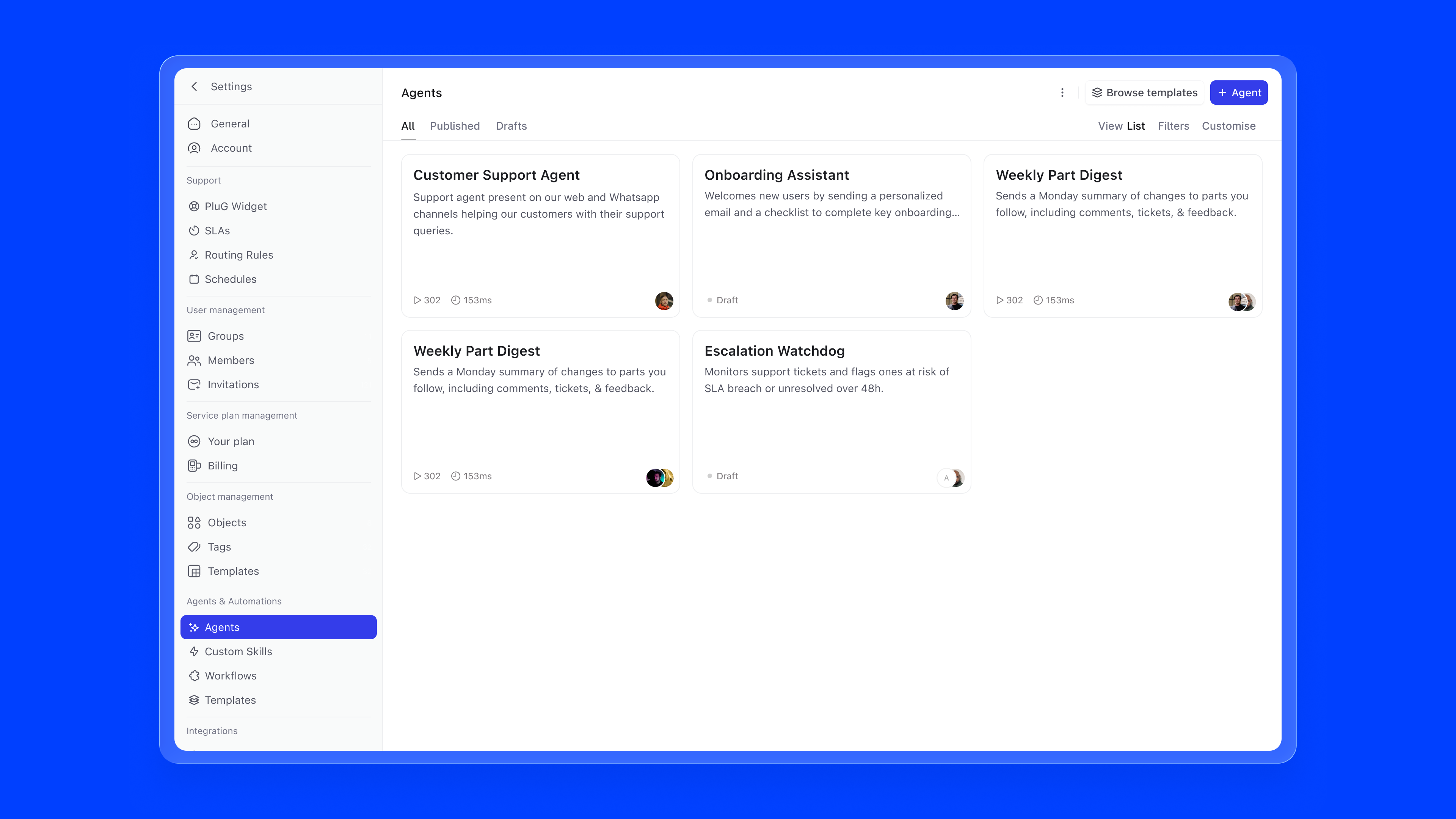
Agent List. Once agents exist, templates move to a secondary Browse templates action and the list takes centre stage. Agents are filterable by All, Published, and Drafts. Each card shows the agent name, a short description, and, depending on state, either the owner avatar with a "Draft" label, or run count and average run time for published agents. If something is misconfigured, an error indicator surfaces directly on the card.
Building an agent shouldn't feel like setting up a system. It should feel like explaining a task to a colleague.
Today, getting started is harder than it needs to be. Writing good instructions and prompts takes effort, and not everyone knows how to do it well. Even experienced users often end up using ChatGPT or Claude to draft things first, then bring them back. That's a clear sign the workflow is broken.
There's also too much overhead. Users have to go through different knowledge sources and skills, figure out what's relevant, and connect everything correctly. Most of this work isn't about building a better agent; it's just setup.
Copilot changes that. You start by describing what you want to achieve, and it takes care of the rest. It pulls in the right knowledge, suggests the right skills, drafts the instructions, and asks follow-up questions where needed.
The focus stays on the goal, not the process.
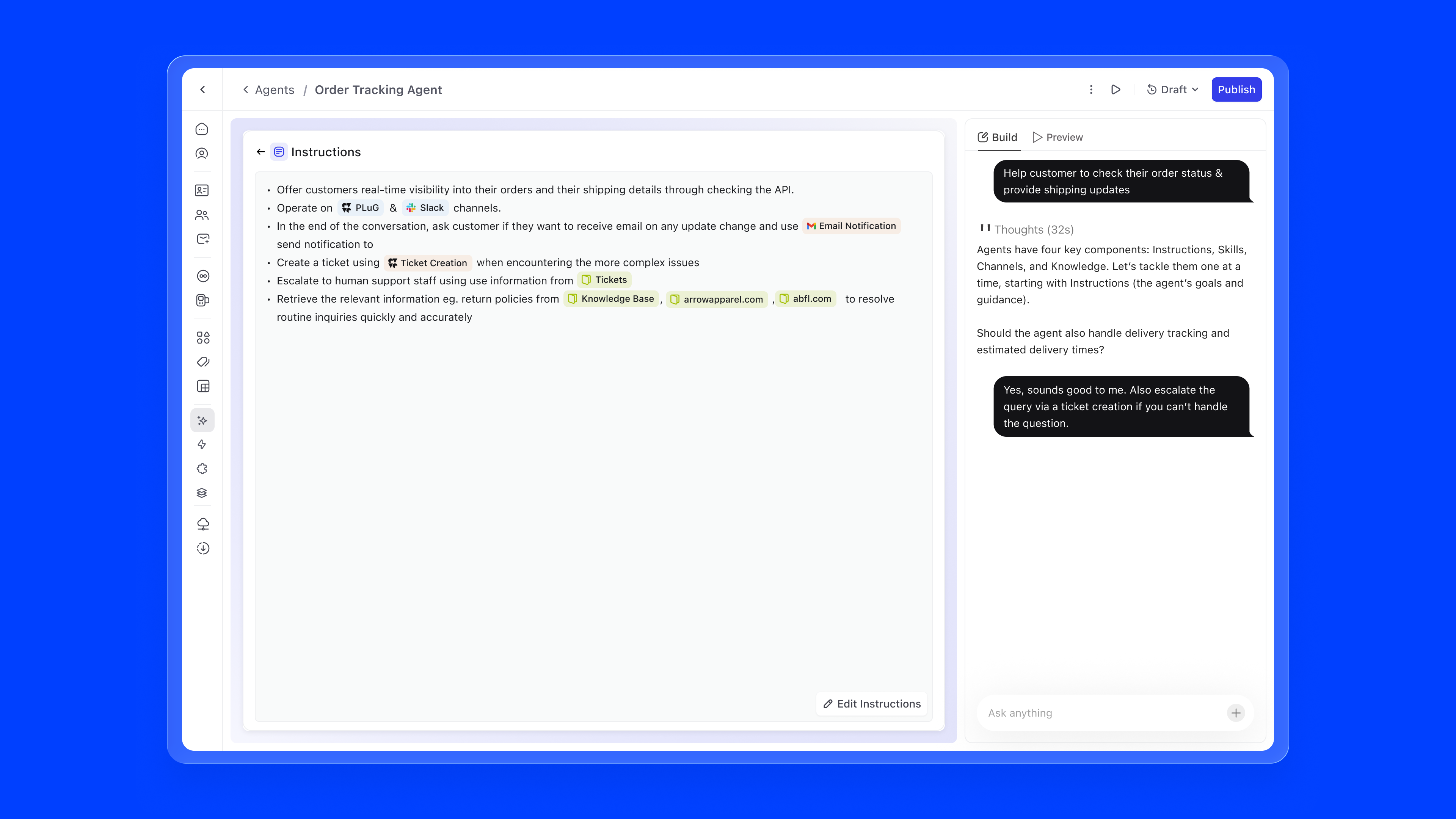
The instructions editor is where the agent's behaviour is defined in natural language. The key innovation is inline referencing using #. Users can type # to reference knowledge sources, skills, or channels directly within their instructions, creating a connected configuration graph.
For example, an instruction might read: "Offer customers real-time visibility into their orders through the #Order Tracking API. Operate on #PLuG and #Slack channels. When encountering complex issues, create a ticket using #Ticket Creation." References are auto-suggested as users type, ensuring accuracy.
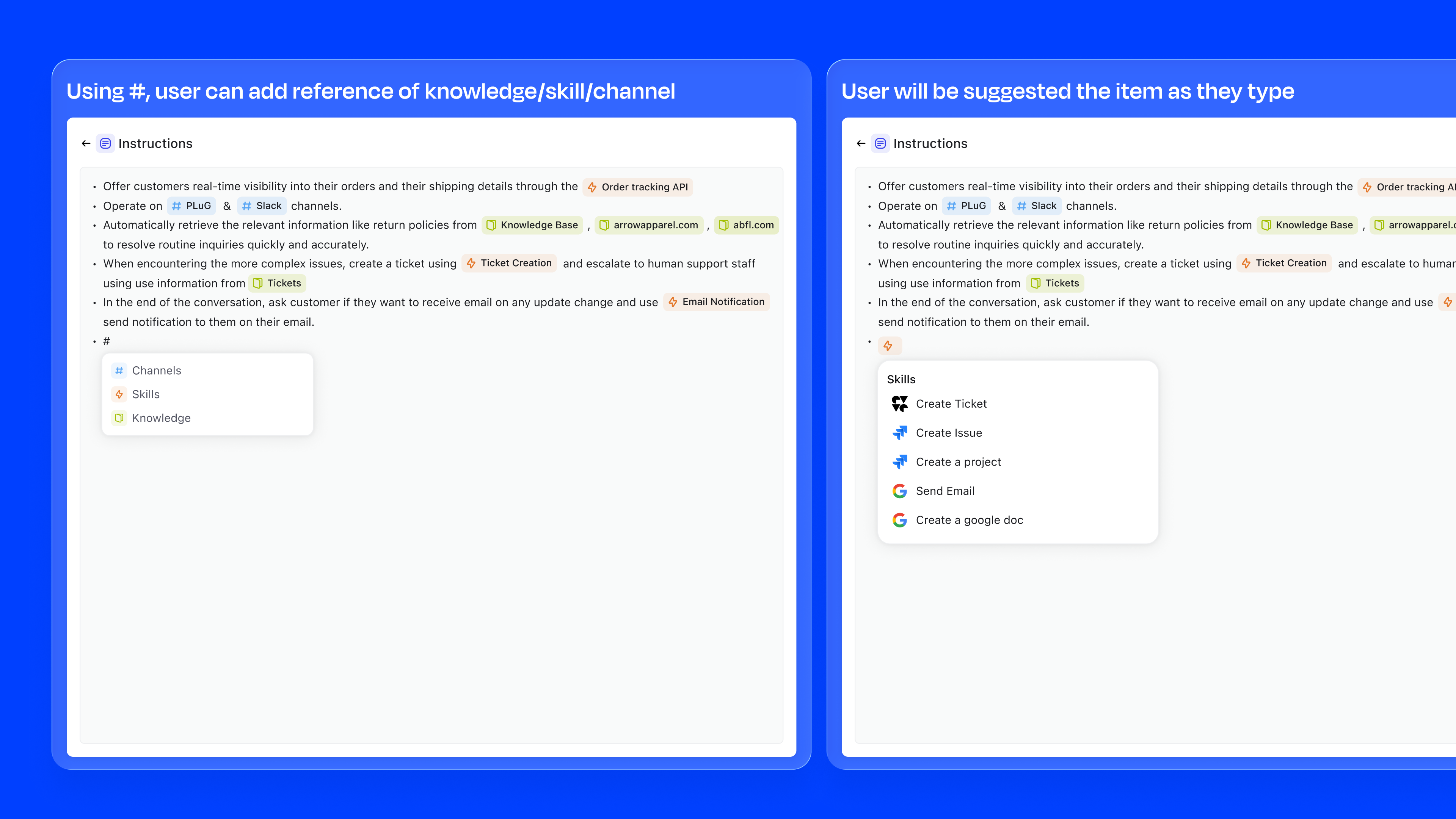
type #, ↑↓ navigate, enter to select
Knowledge is what an agent reads, reasons over, and retrieves when forming a response. Without it, even a perfectly configured agent is guessing. With the right knowledge attached, an agent can answer a customer asking "Where is my order?" by pulling from live ticket data, or help an onboarding manager by referencing the exact internal HR policy document, not a generic LLM hallucination.
Knowledge sources are additive. An agent can draw from many at once, and each source shows its type, item count, sync status, and last updater so admins always know what the agent is working with.
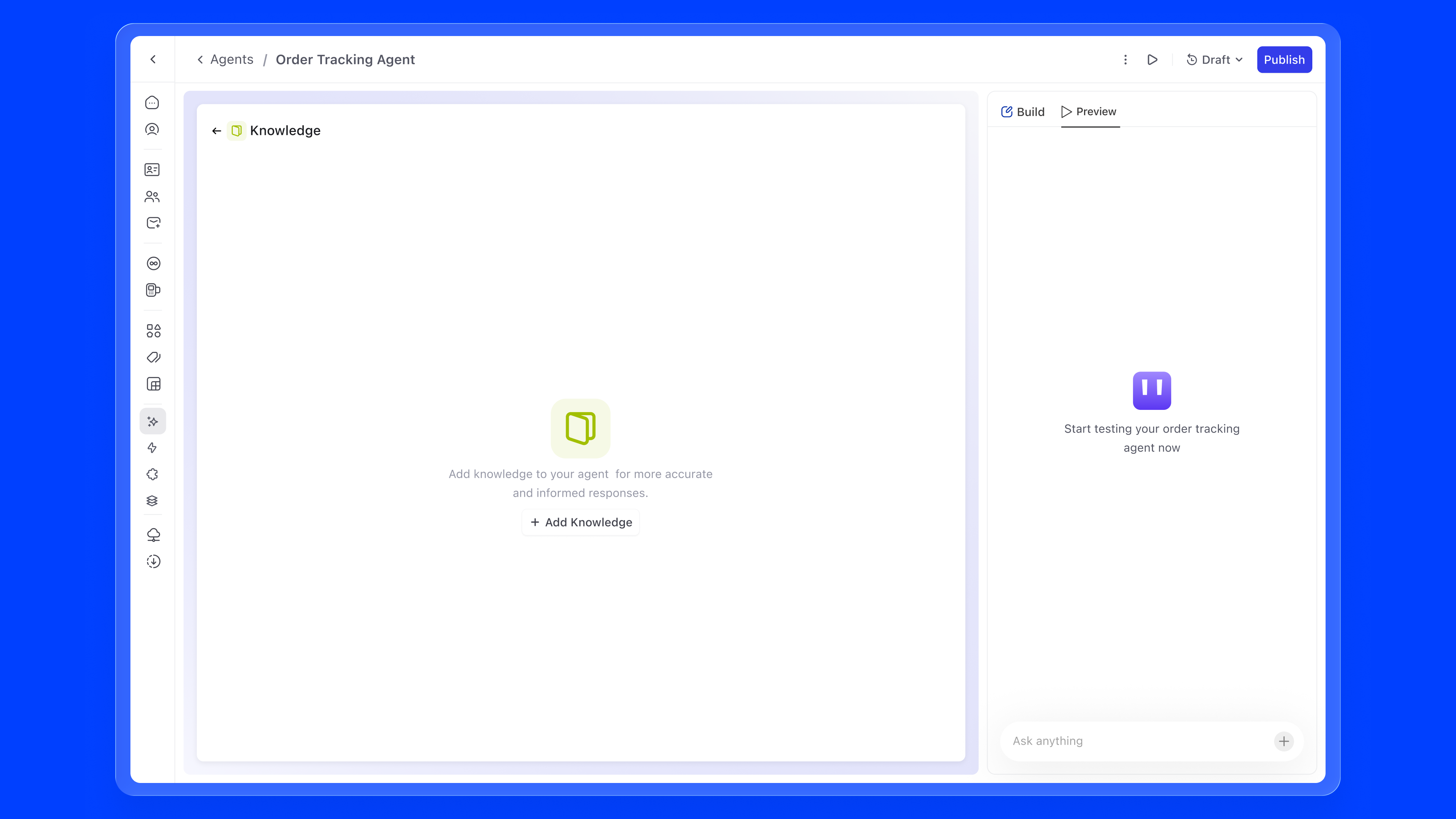
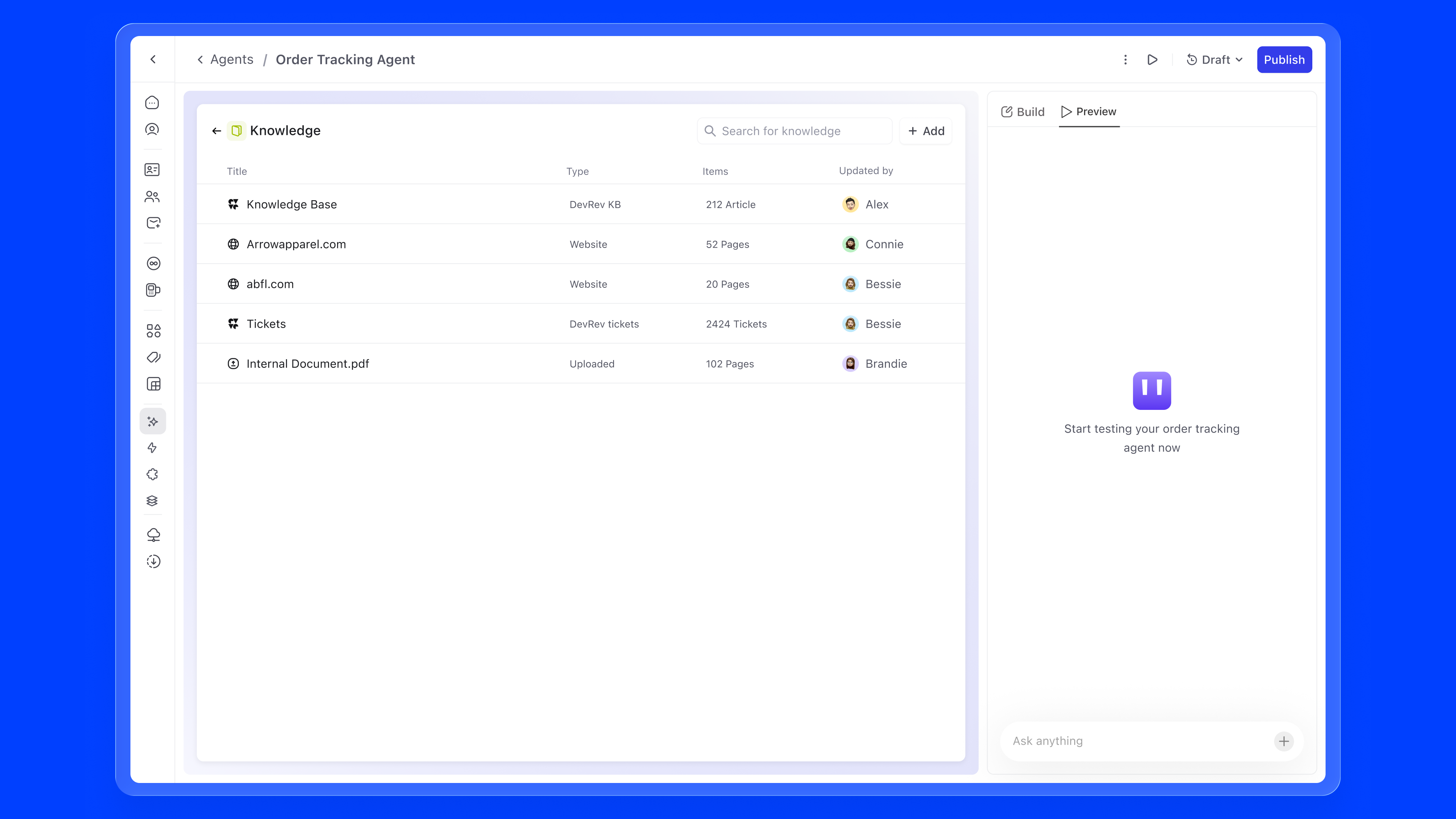
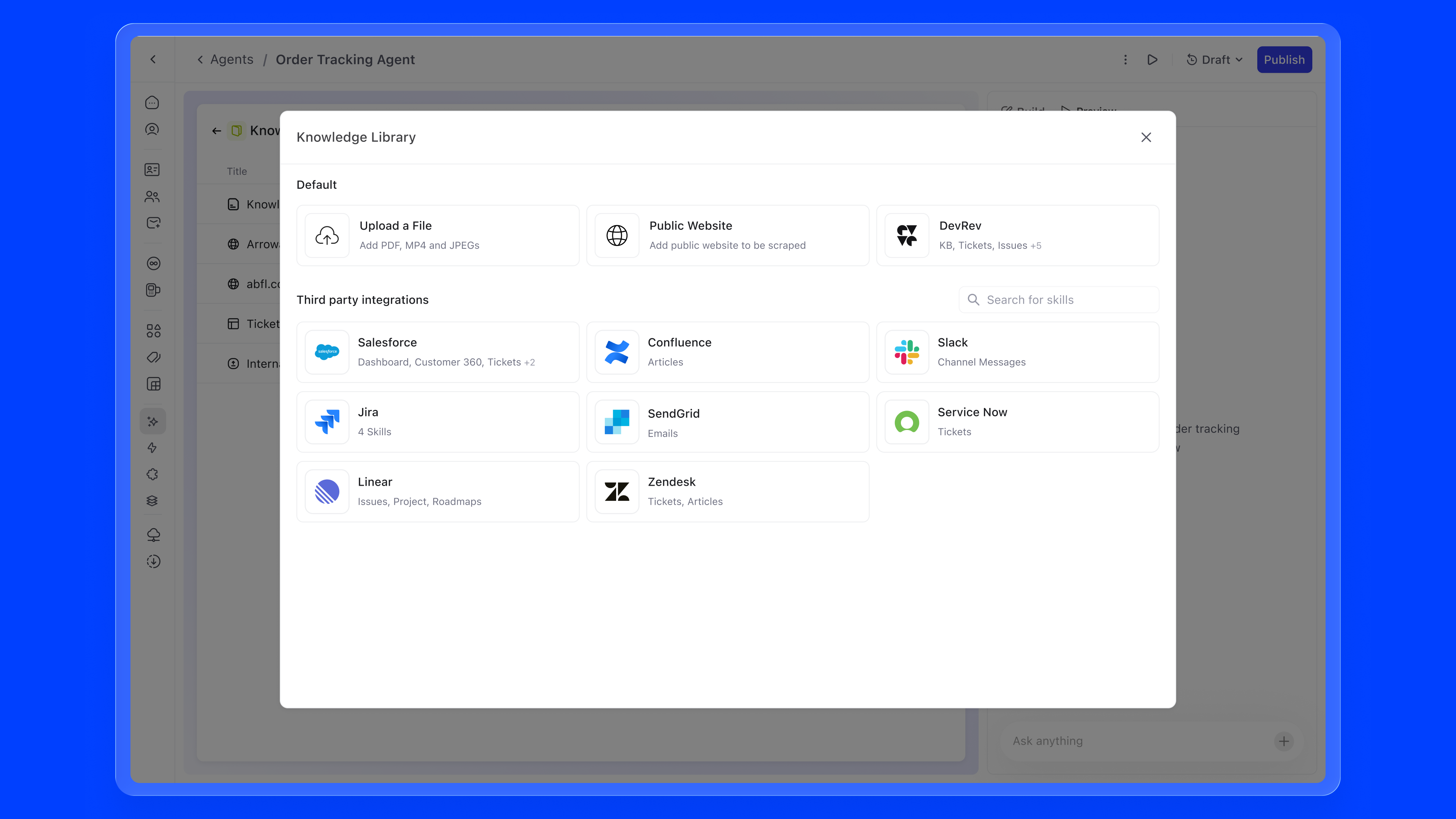
There are primarily four ways to add static knowledge to an agent:
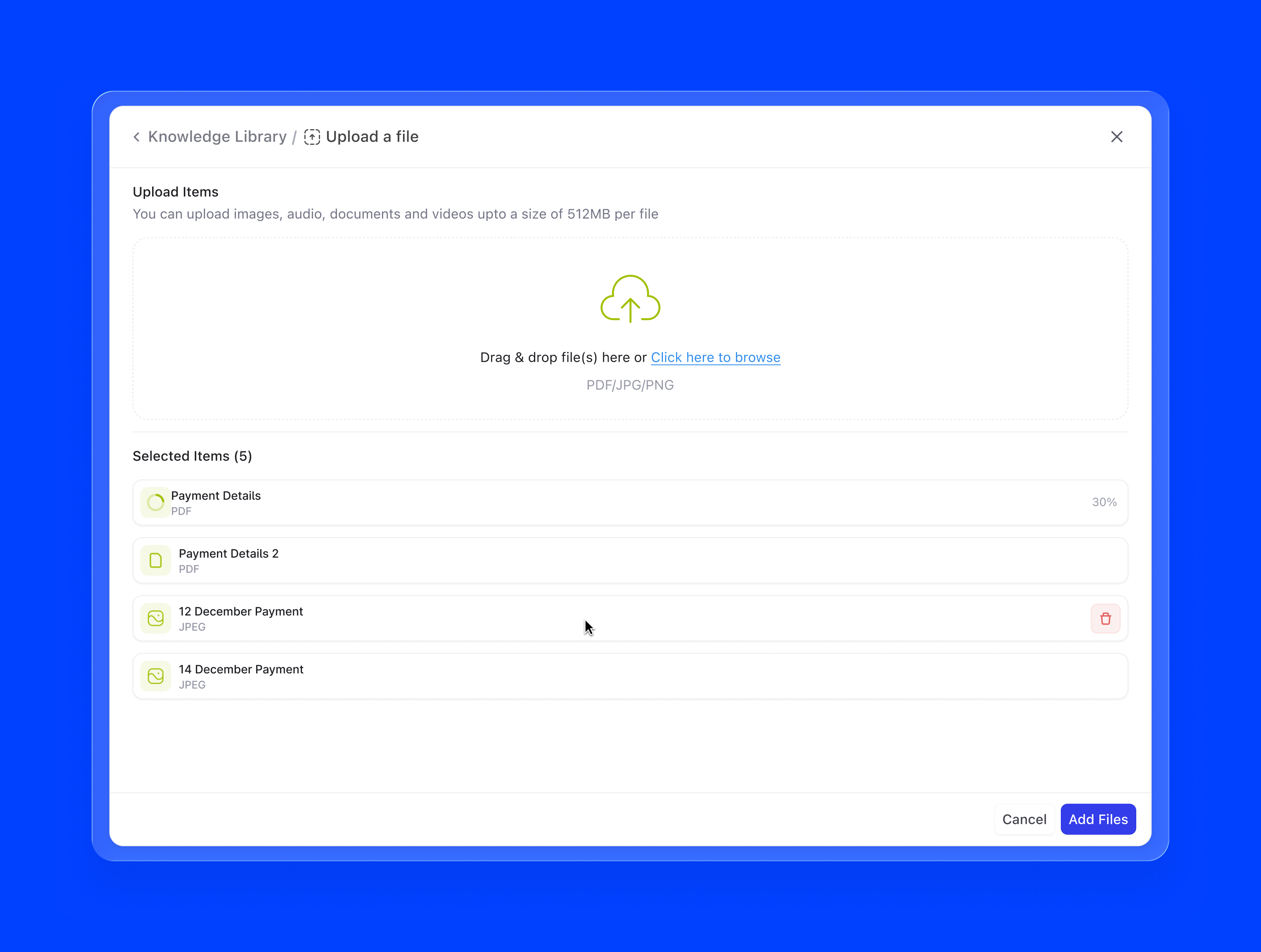
1. Upload a file. The most direct path. Admins can drag and drop PDFs, Word docs, CSVs, or text files directly into the knowledge panel. Works well for internal documents that don't live anywhere else, like an onboarding handbook, a product spec, or a pricing sheet. The file is chunked and indexed on upload, and the agent can start using it immediately.
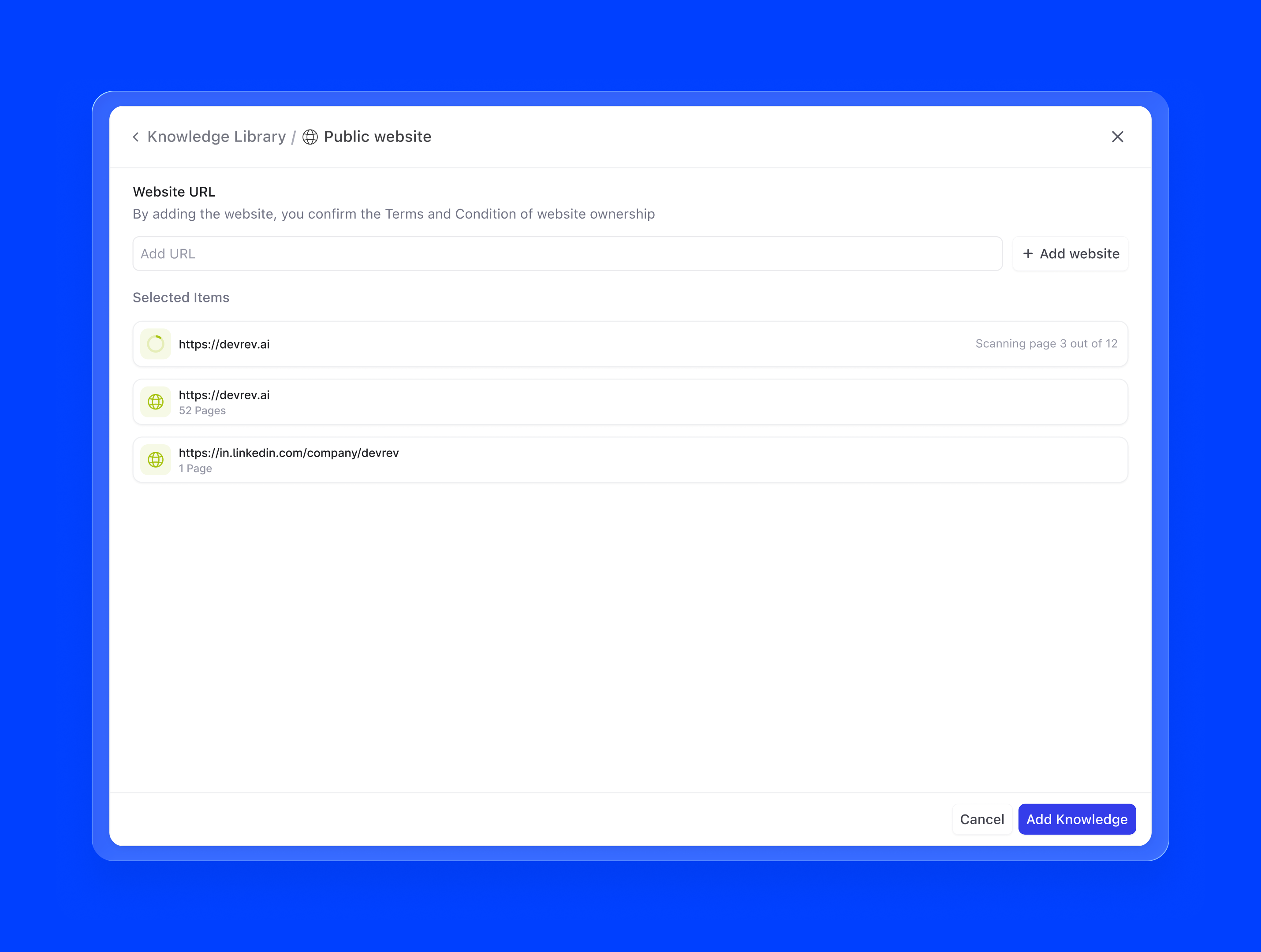
2. Public website. A URL-based scrape that pulls content from any publicly accessible webpage or sitemap. Useful for product documentation sites, help centres, or marketing pages. A support agent pointed at docs.yourproduct.com always references the latest published documentation, with no manual copy-pasting required.
3. DevRev objects. Because Agent Builder lives inside DevRev, agents can natively pull from the entire object graph: tickets, articles, accounts, opportunities, conversations, and more. A support agent backed by live ticket data can contextualise responses against similar past resolutions. This is knowledge that updates in real time, not a static snapshot.
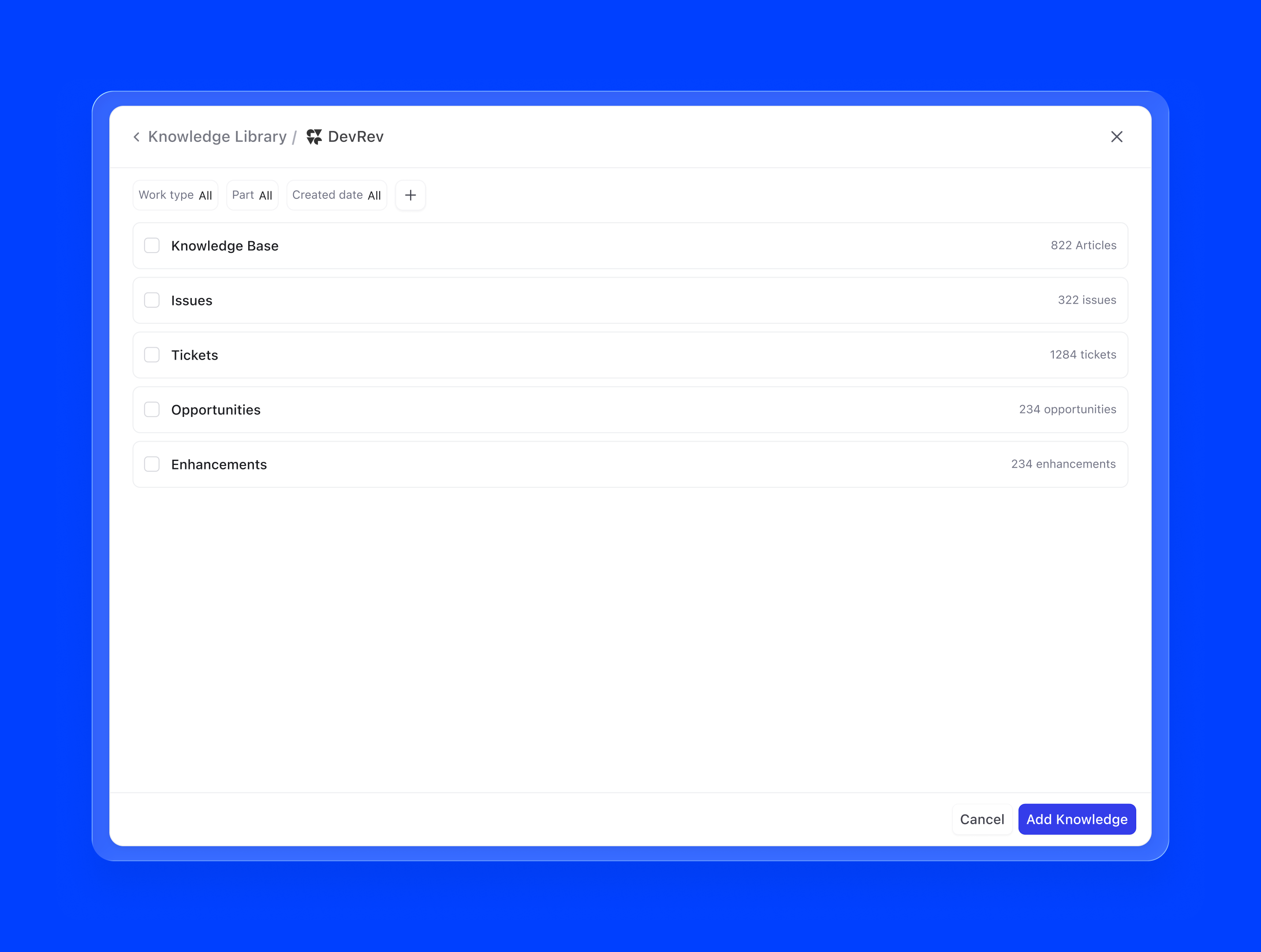
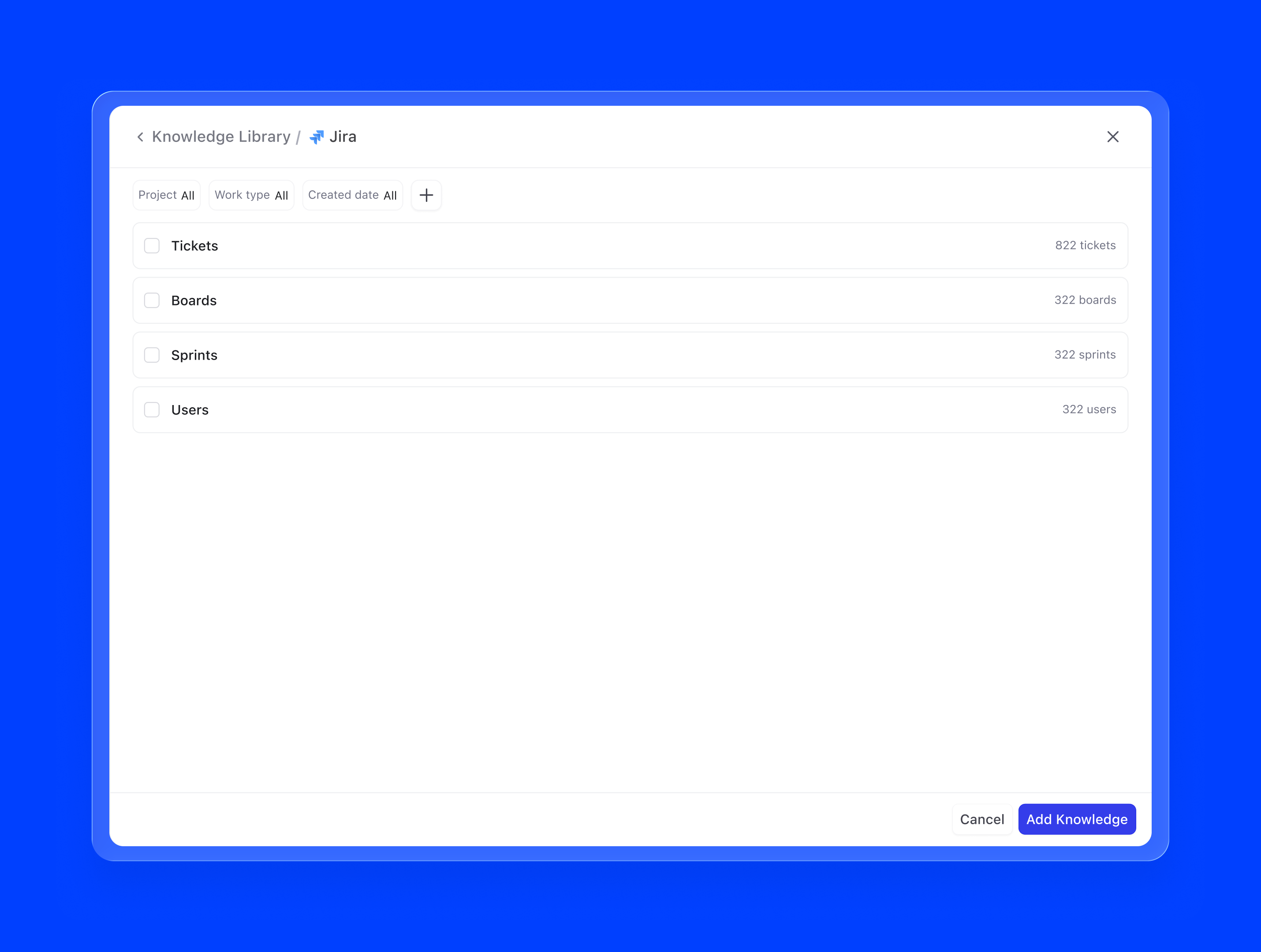
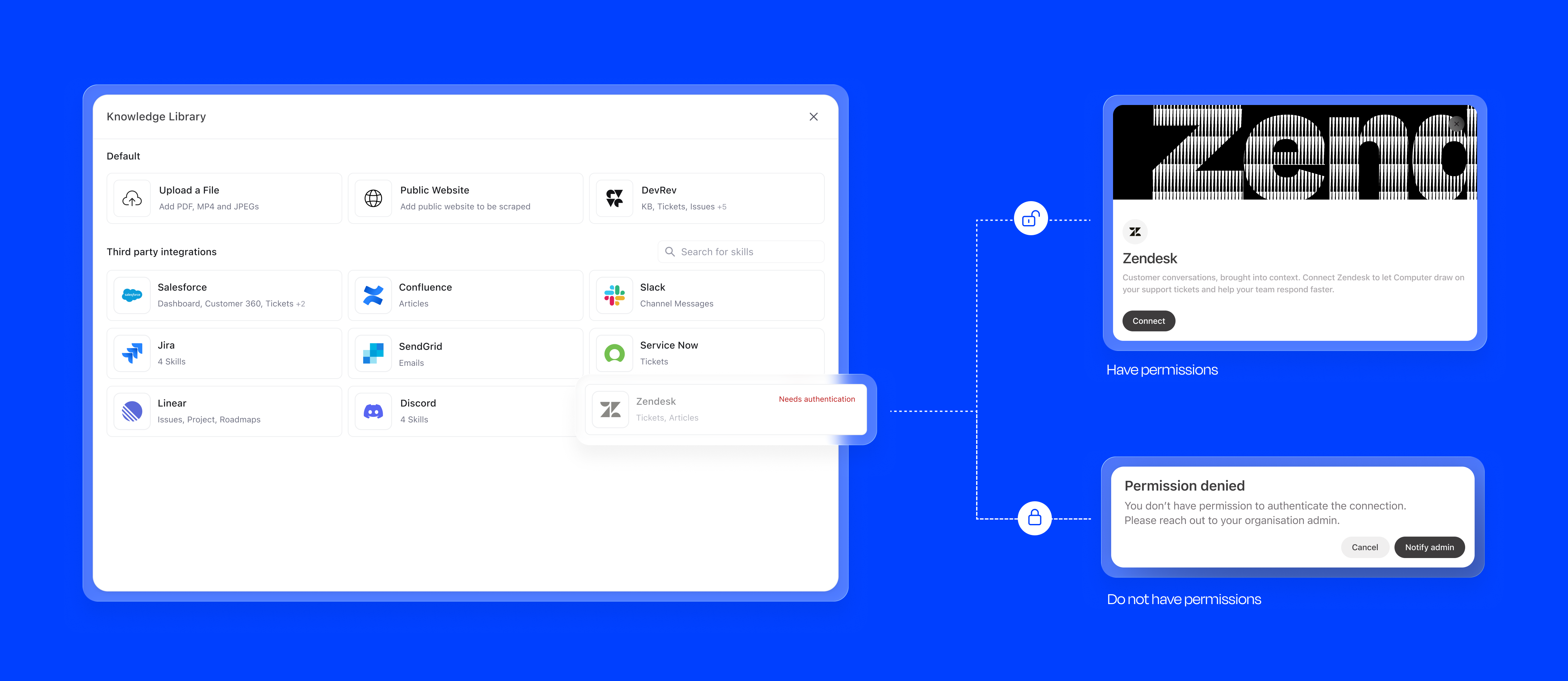
4. Third-party integrations. Via AirSync, agents can connect to external tools like Google Drive, Notion, Confluence, or Zendesk as knowledge sources. Once authenticated, the integration continuously syncs relevant content, so the agent's knowledge stays current without any manual intervention.
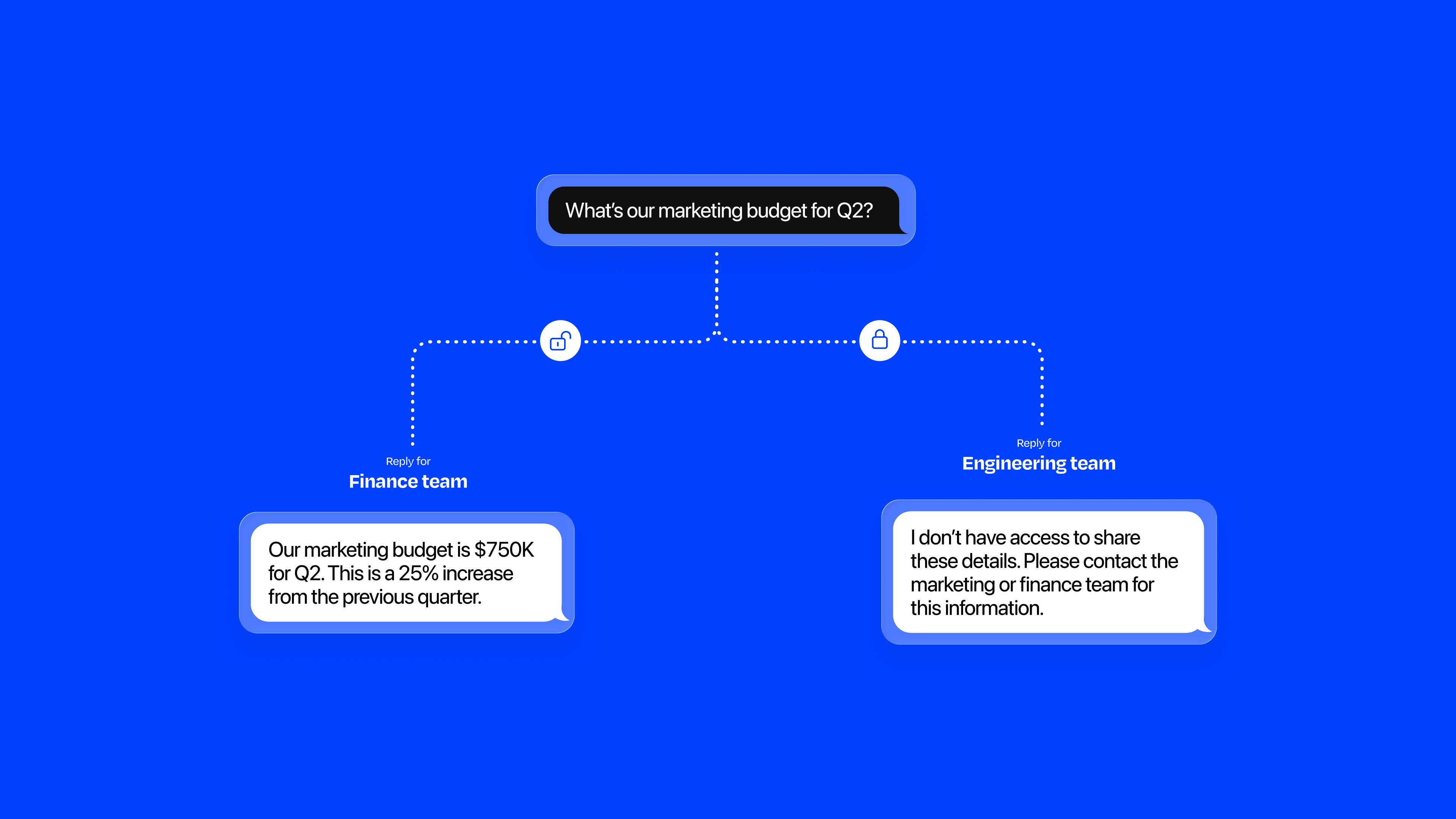
I paid special attention to edge cases that could erode trust:
Skills define the agent's functional scope: what it can actually do. They include default system actions, workflow integrations, and external API connections. Each skill has a type (Action or Workflow), status, and owner.
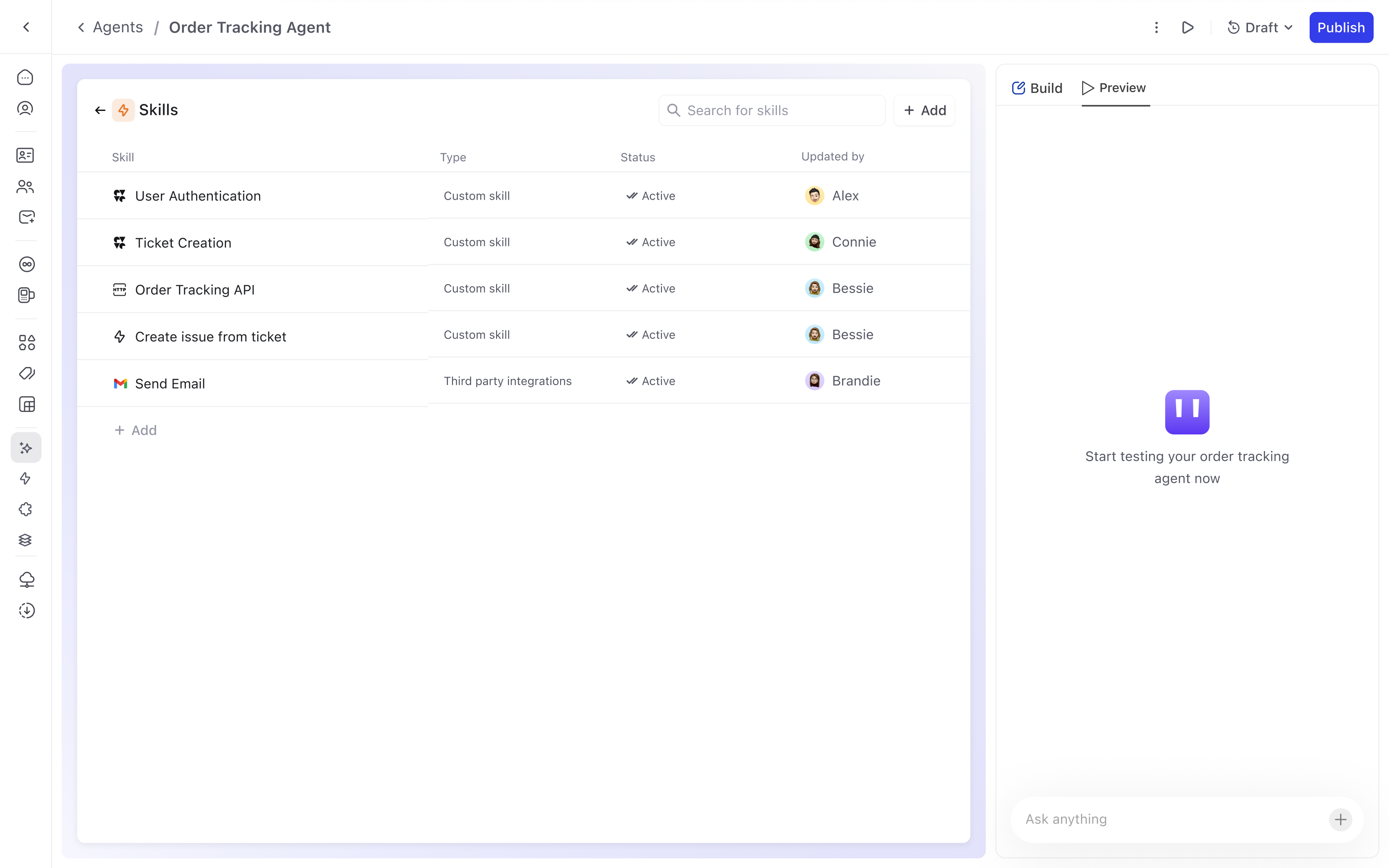
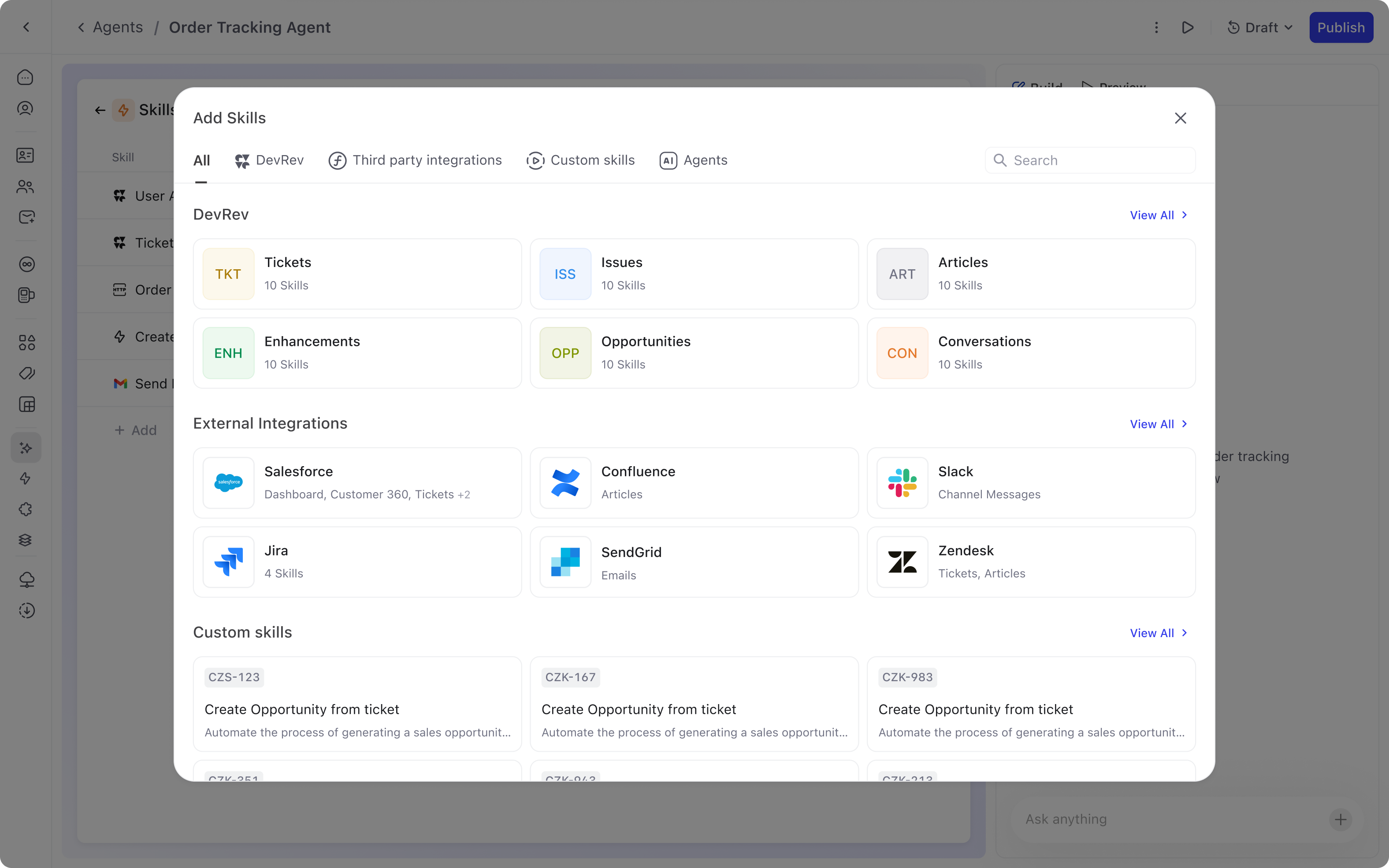
Adding a skill follows a two-step progressive flow:
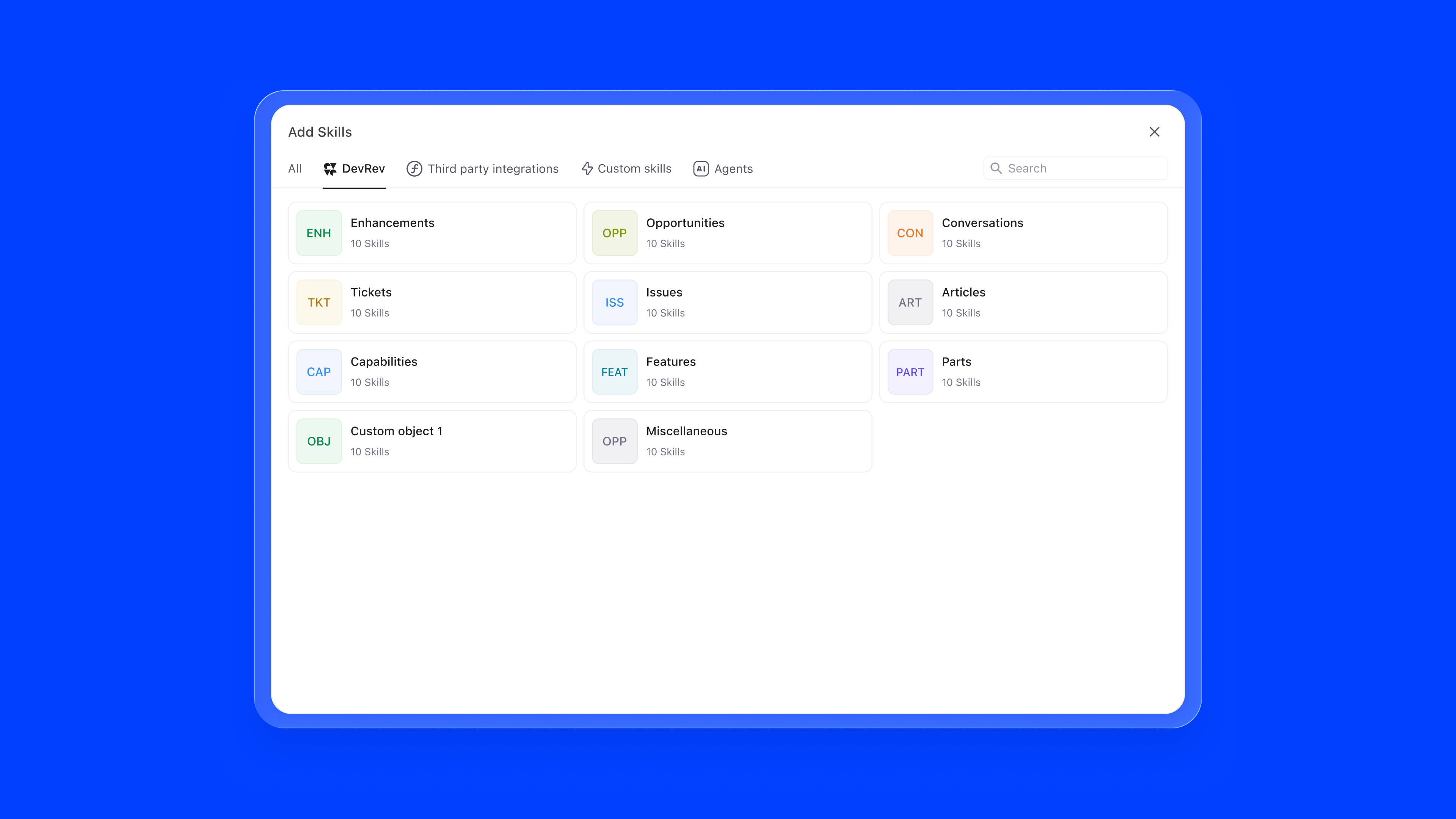
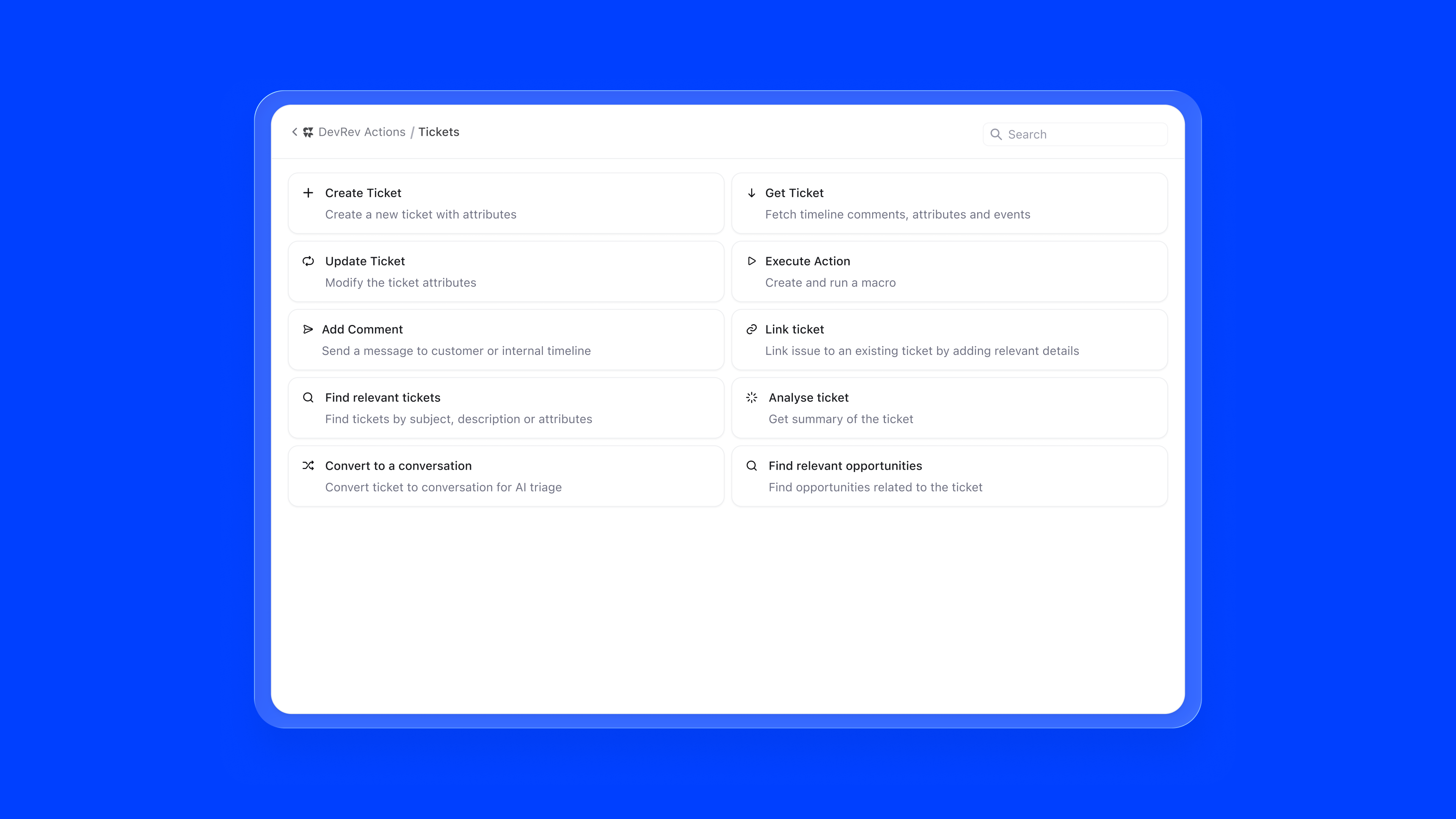
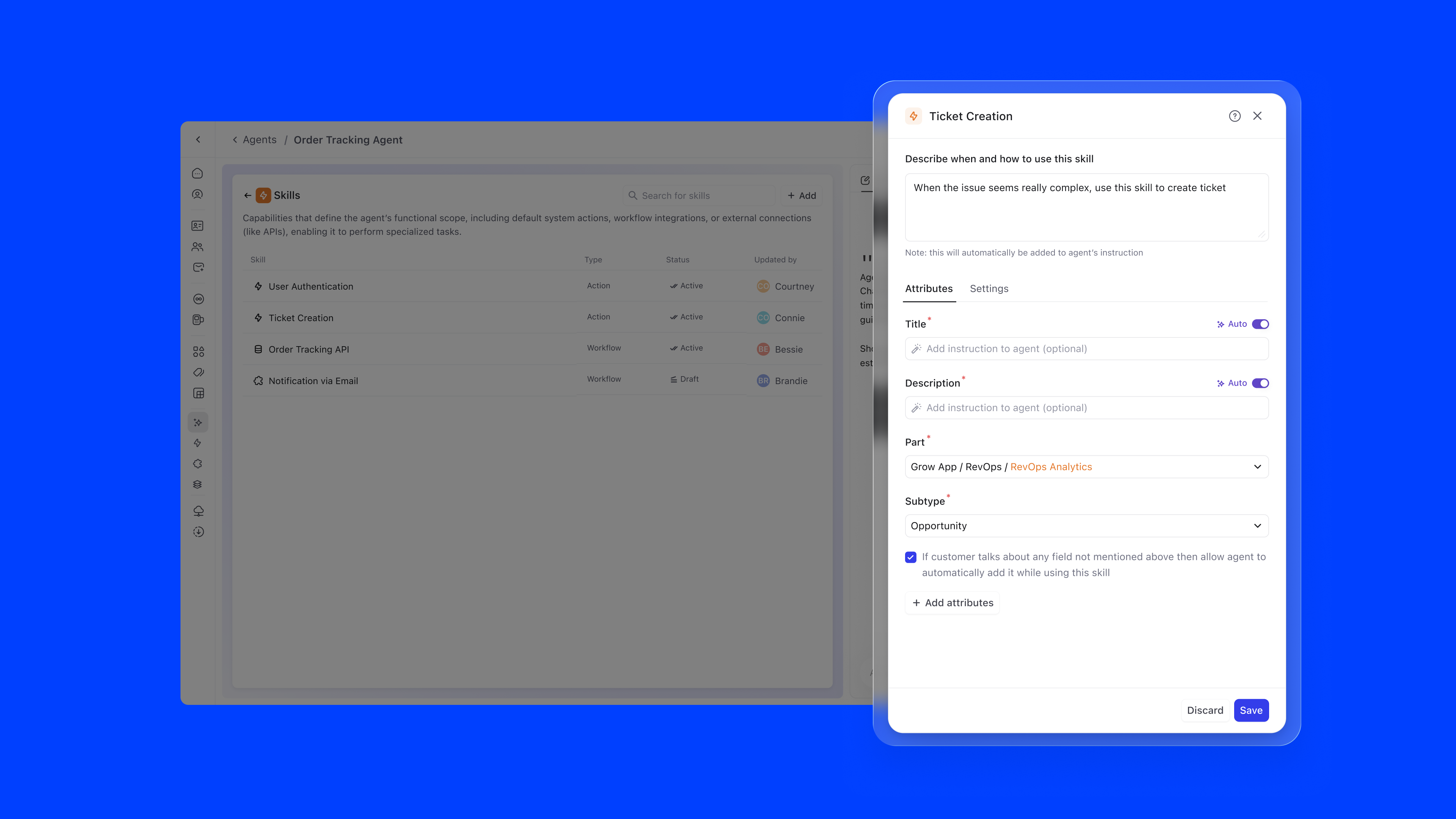
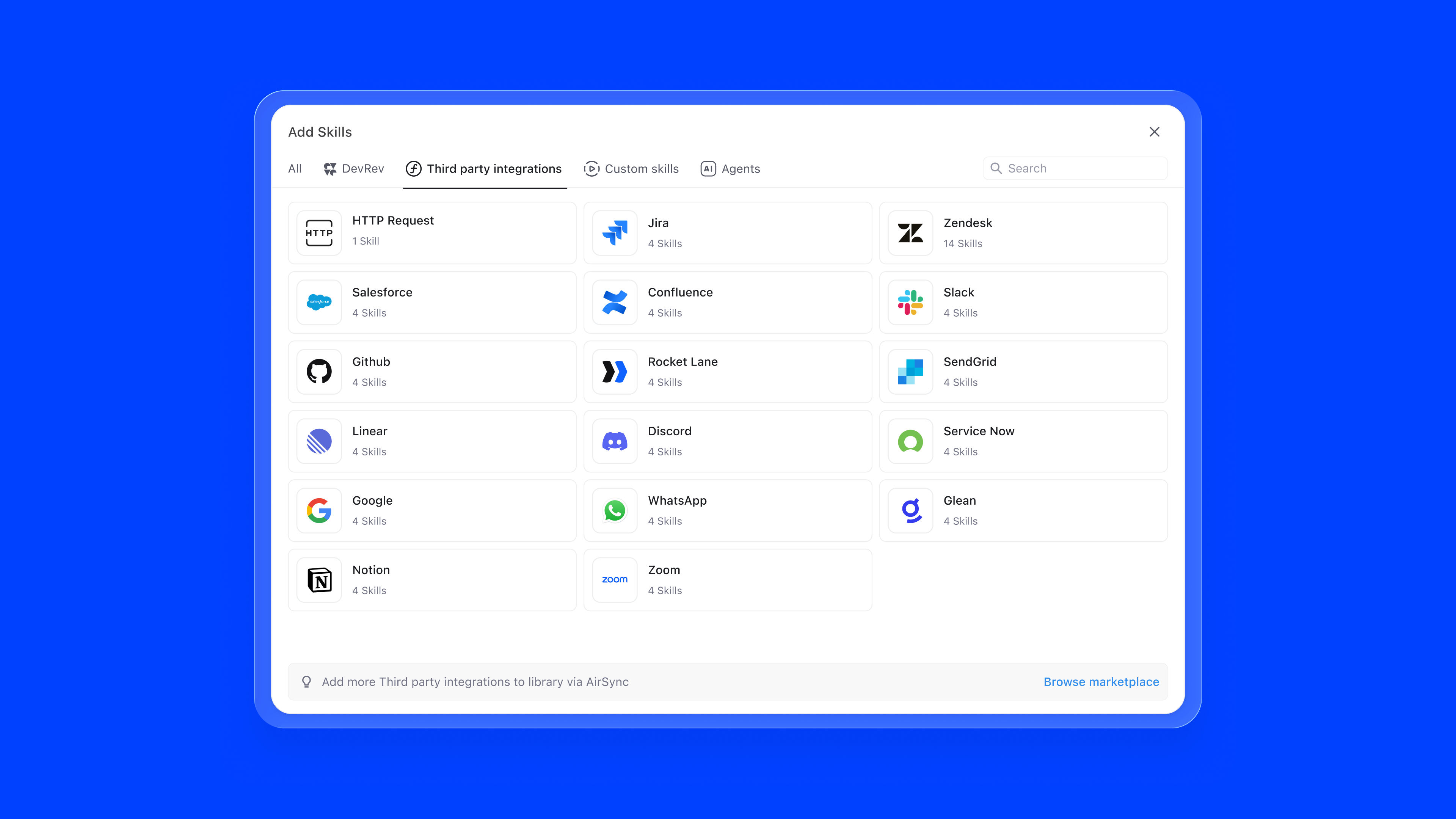
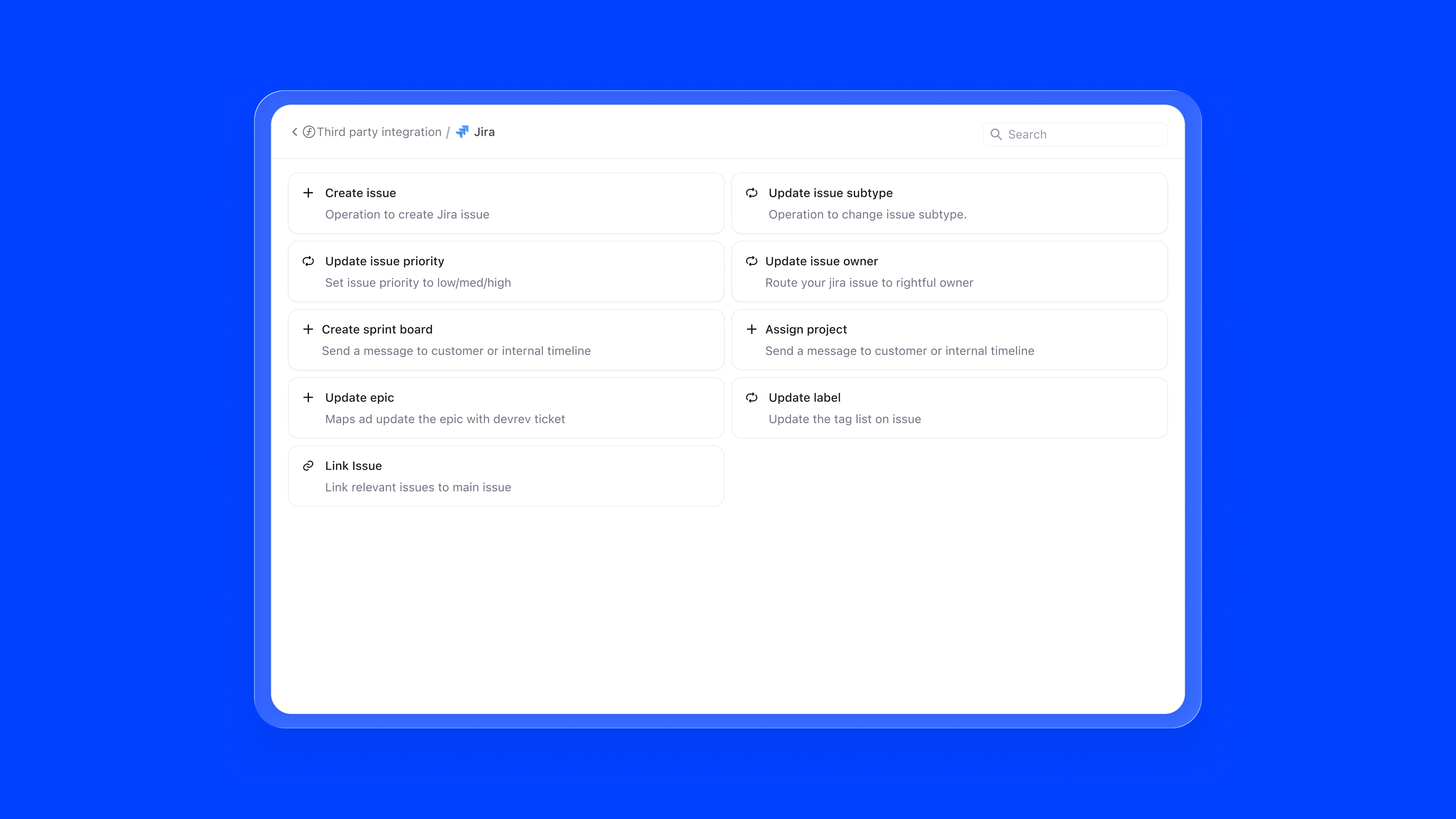
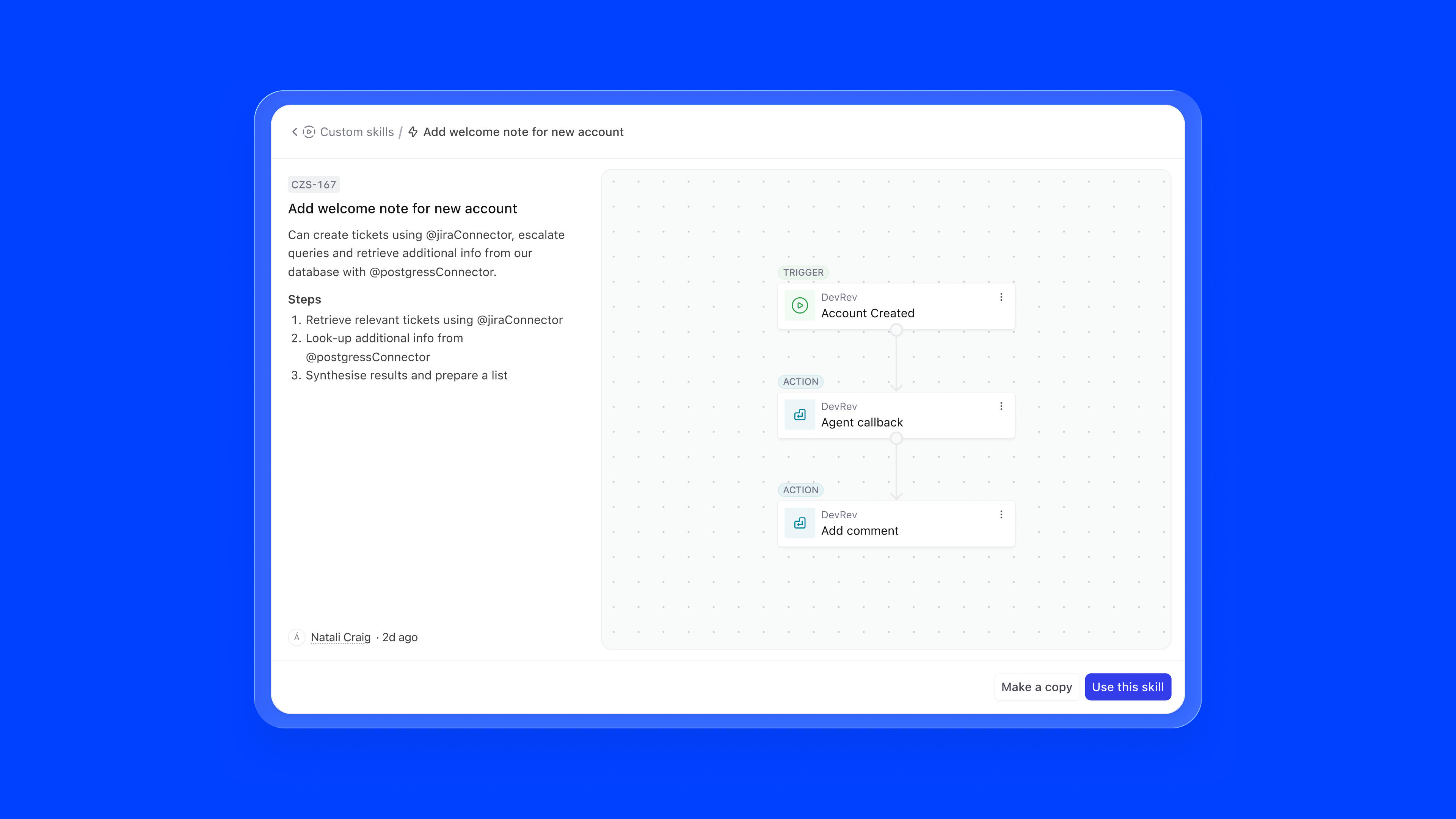
The skill marketplace surfaces all available capabilities in a browsable grid. DevRev native skills, external integrations like Salesforce, Confluence, Slack, and Zendesk, and custom skills are all accessible from one modal. Integrations that need authentication are clearly flagged, preventing failed configurations.
Skills fail in ways that aren't obvious at configuration time. Tokens expire, endpoints change, permissions get revoked. I designed an error surface that makes these failures visible and actionable, without requiring the admin to go hunting:
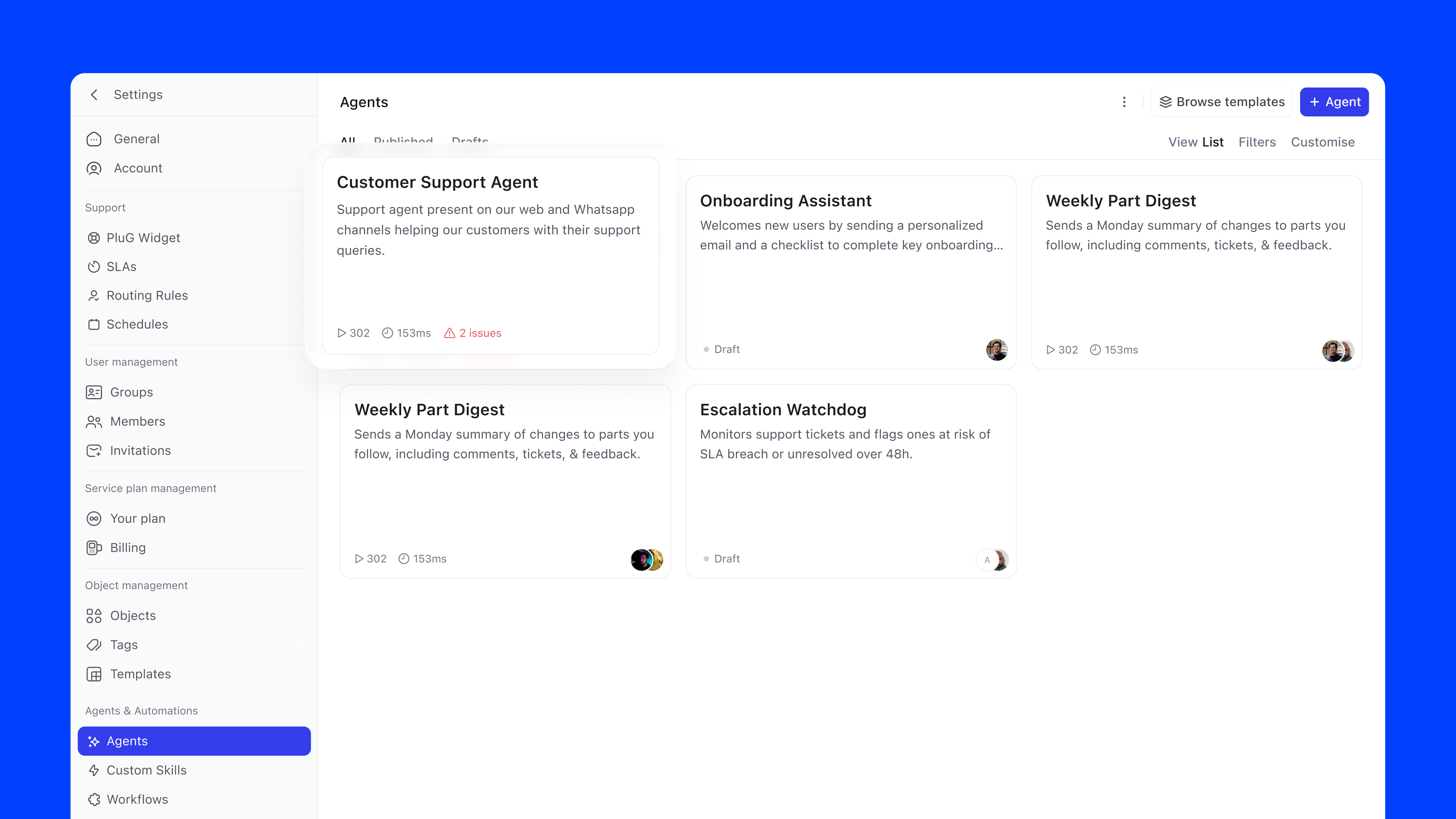
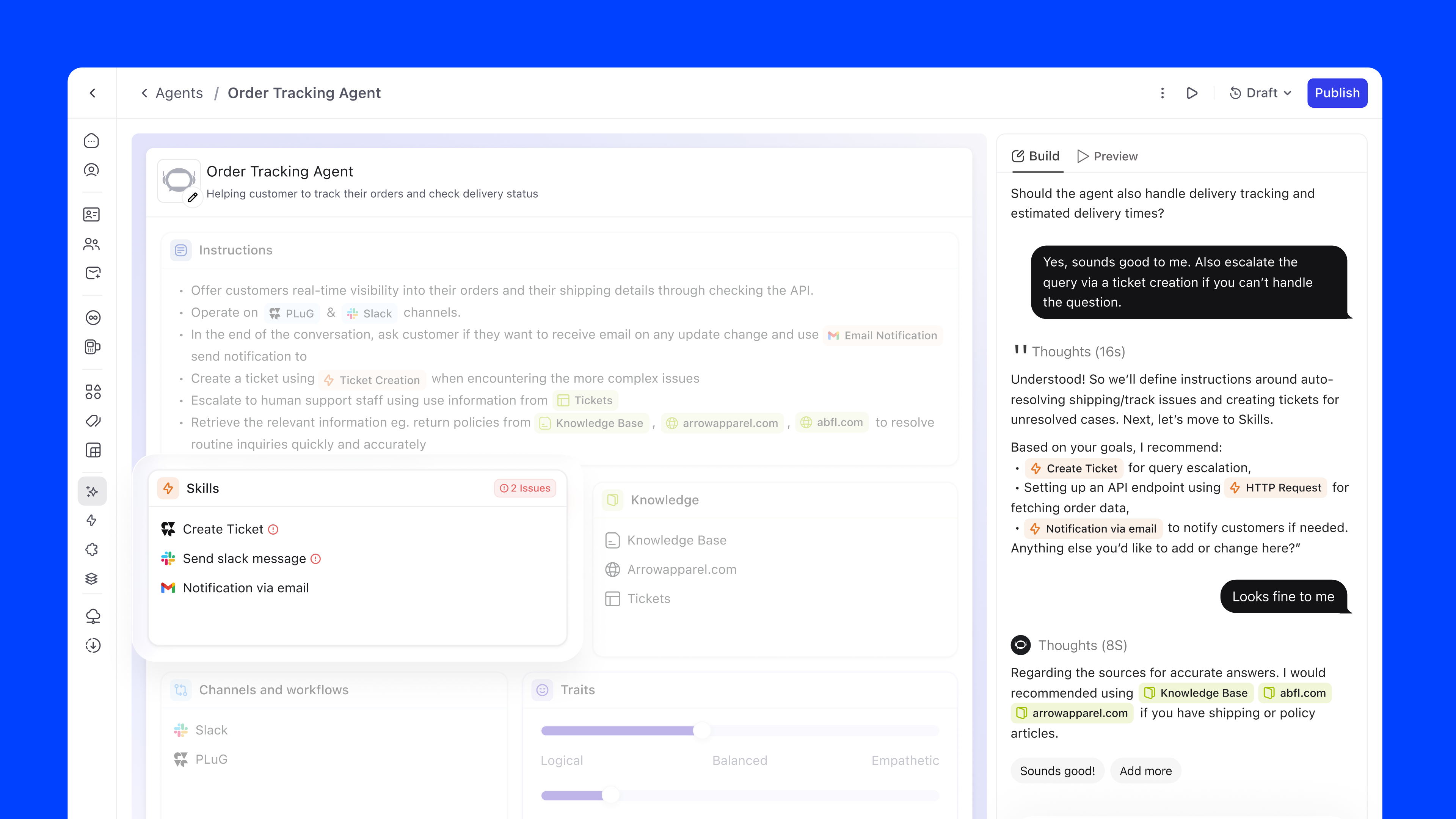
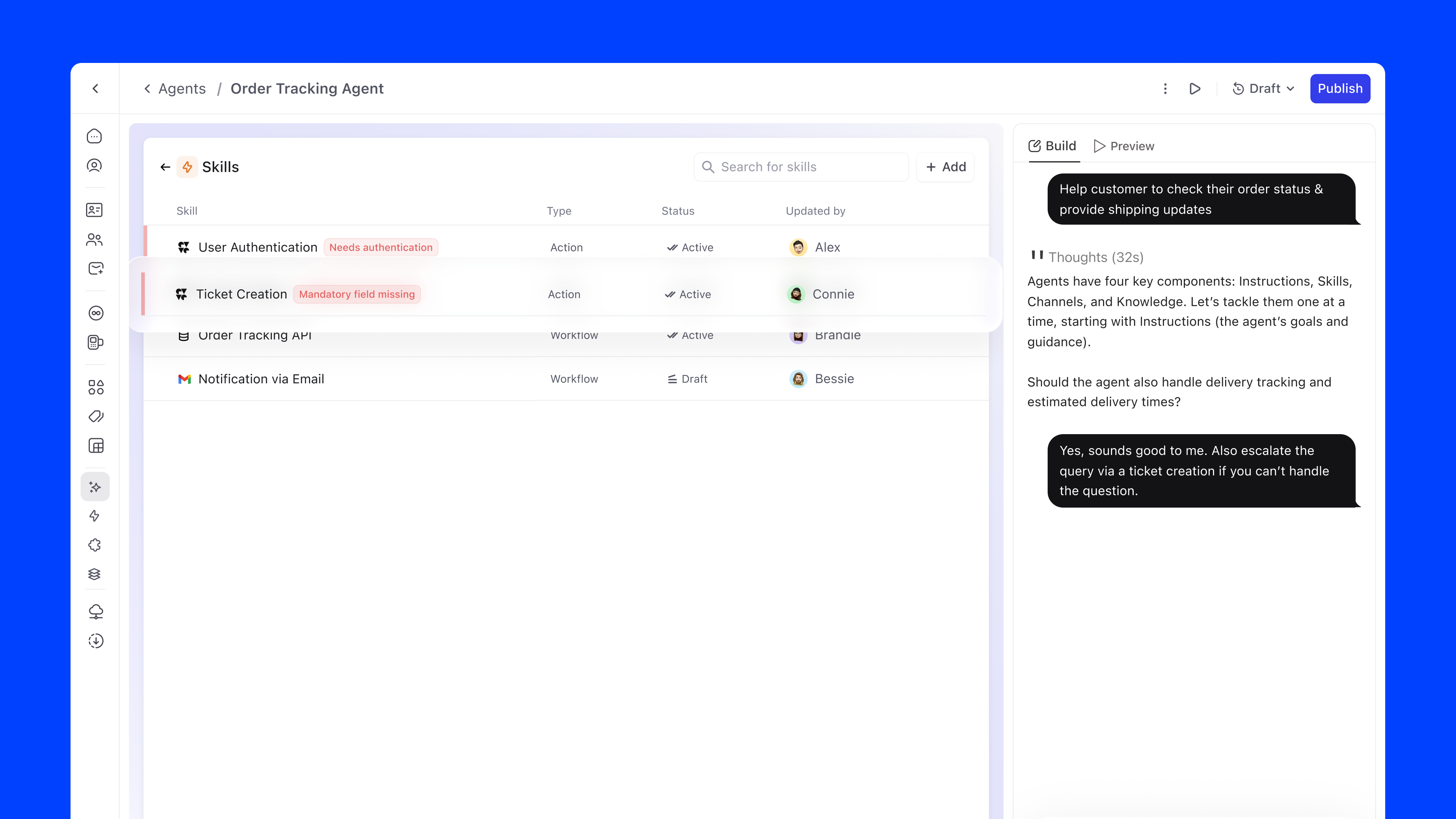
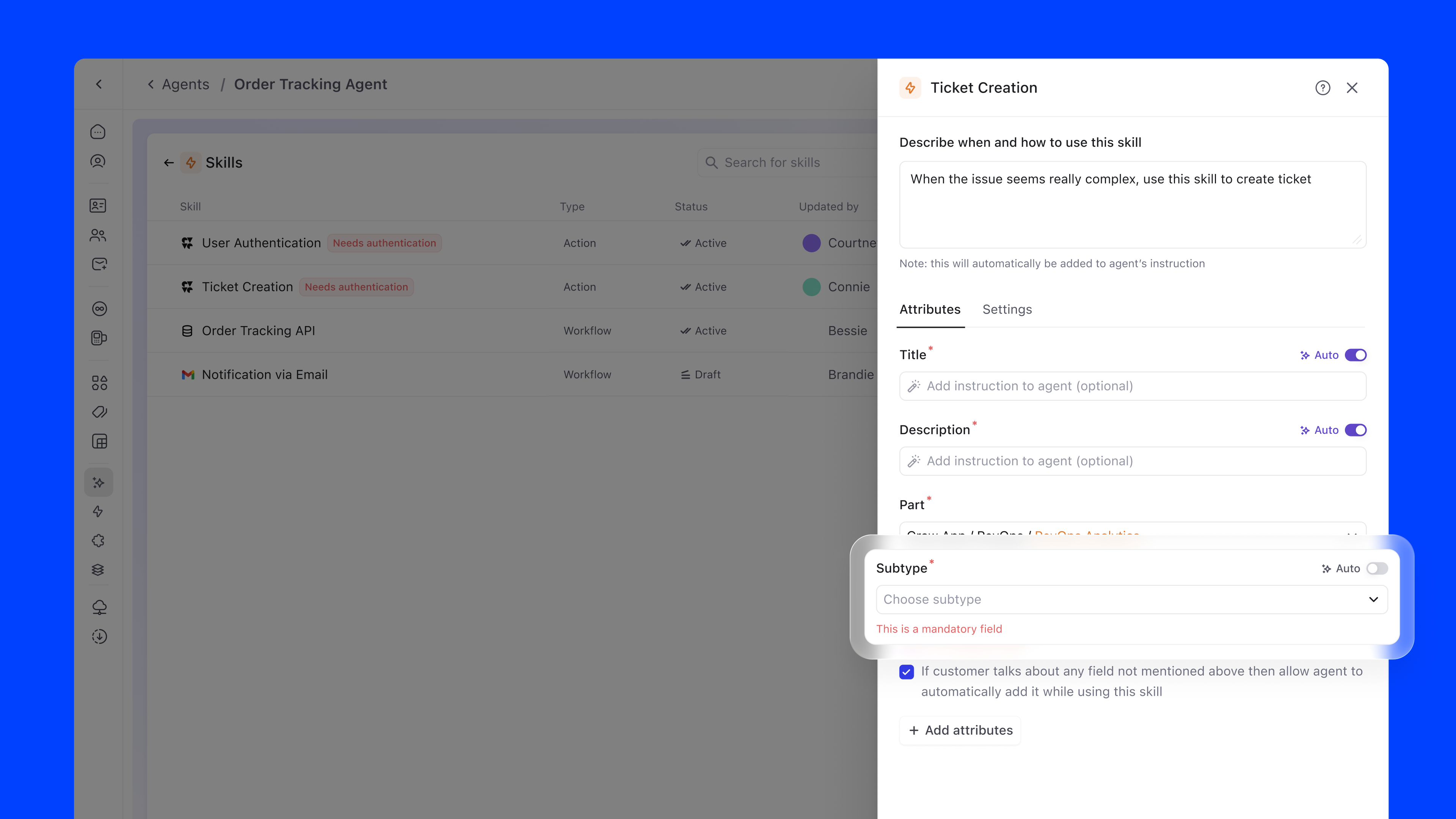
Skill errors aren't rare edge cases. They're part of the normal operational lifecycle of a live agent. Surfacing them at the overview level, with a direct path to resolution, keeps agents healthy without requiring engineering involvement every time a token lapses or an integration breaks.
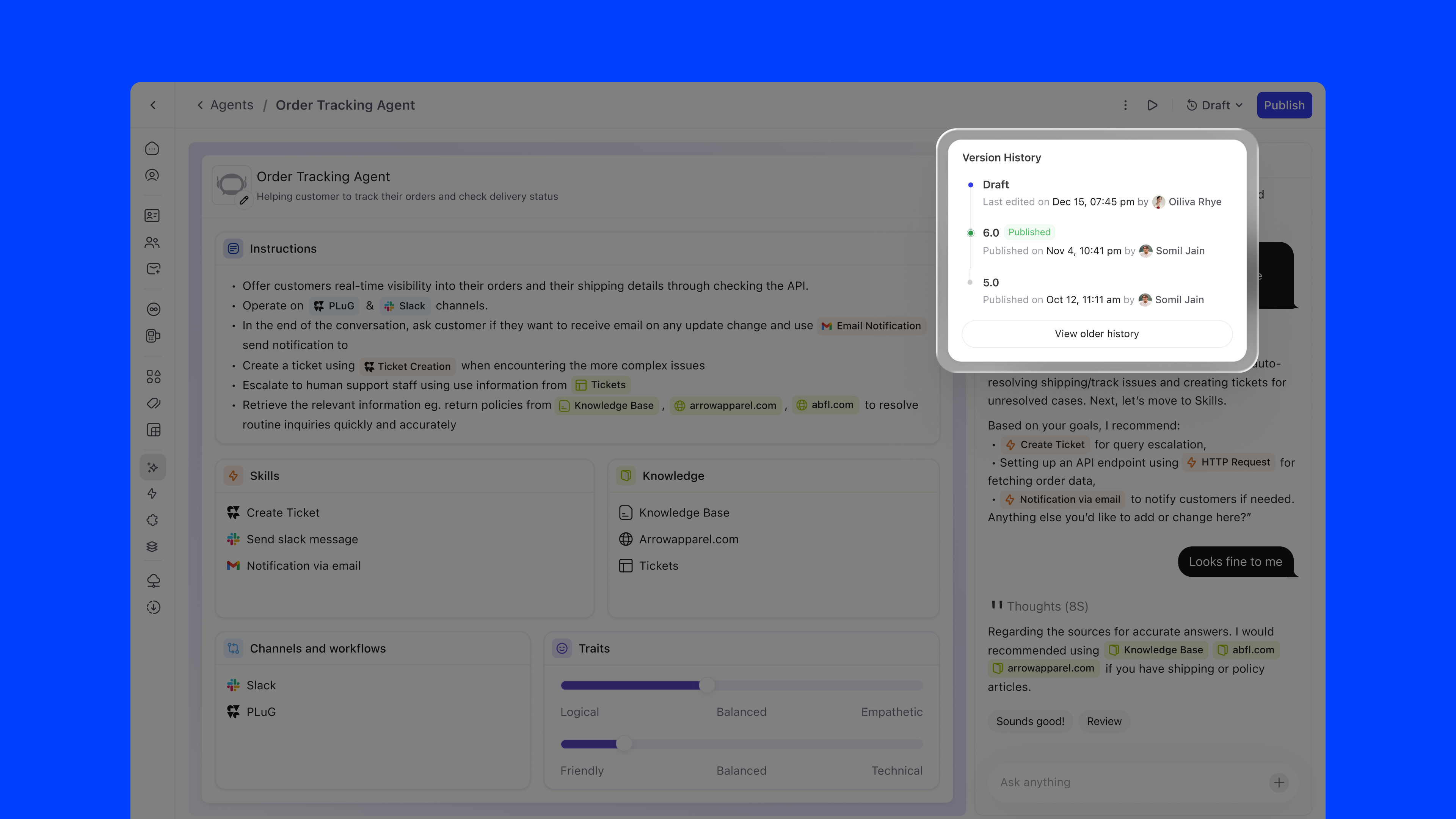
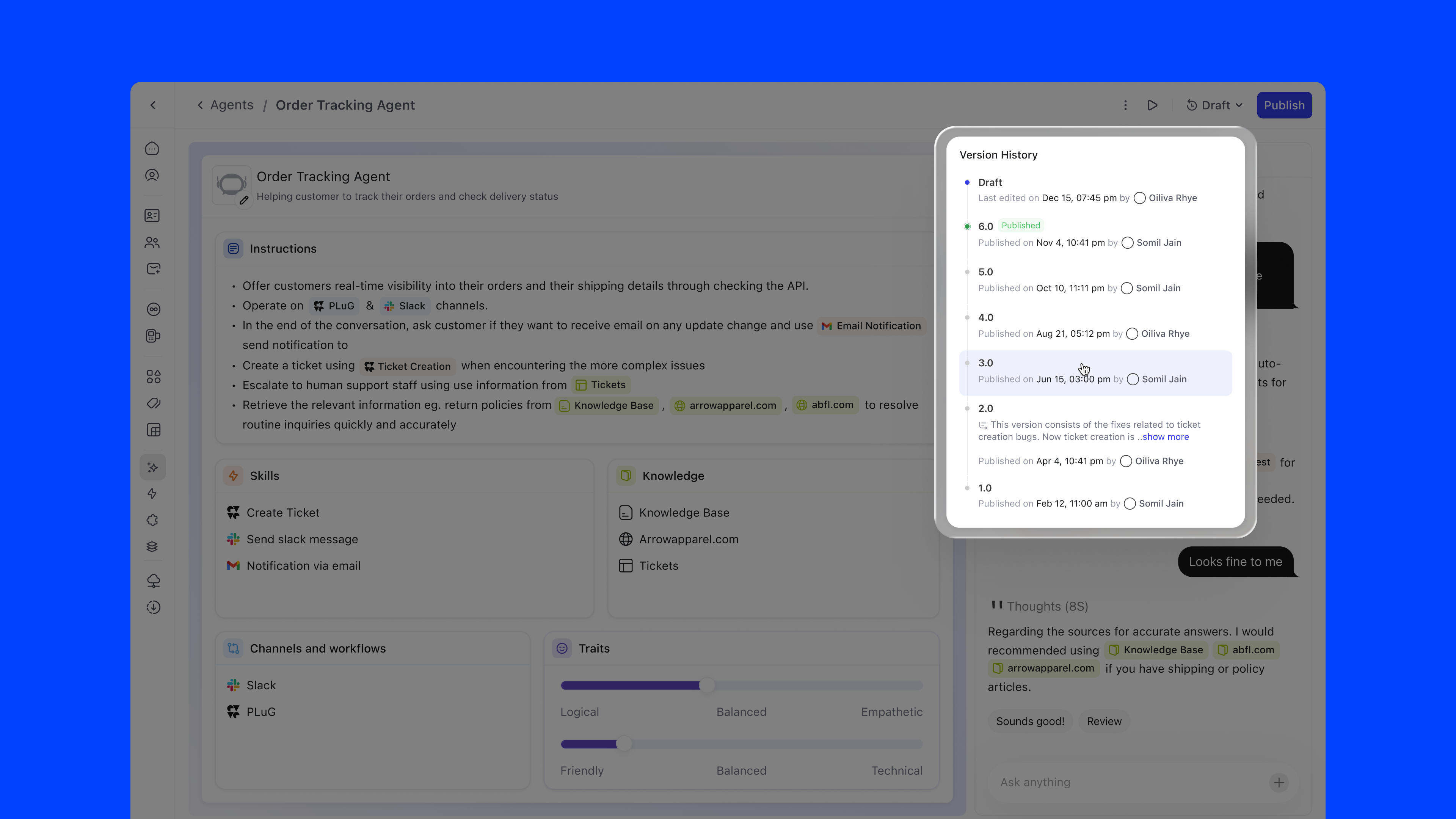
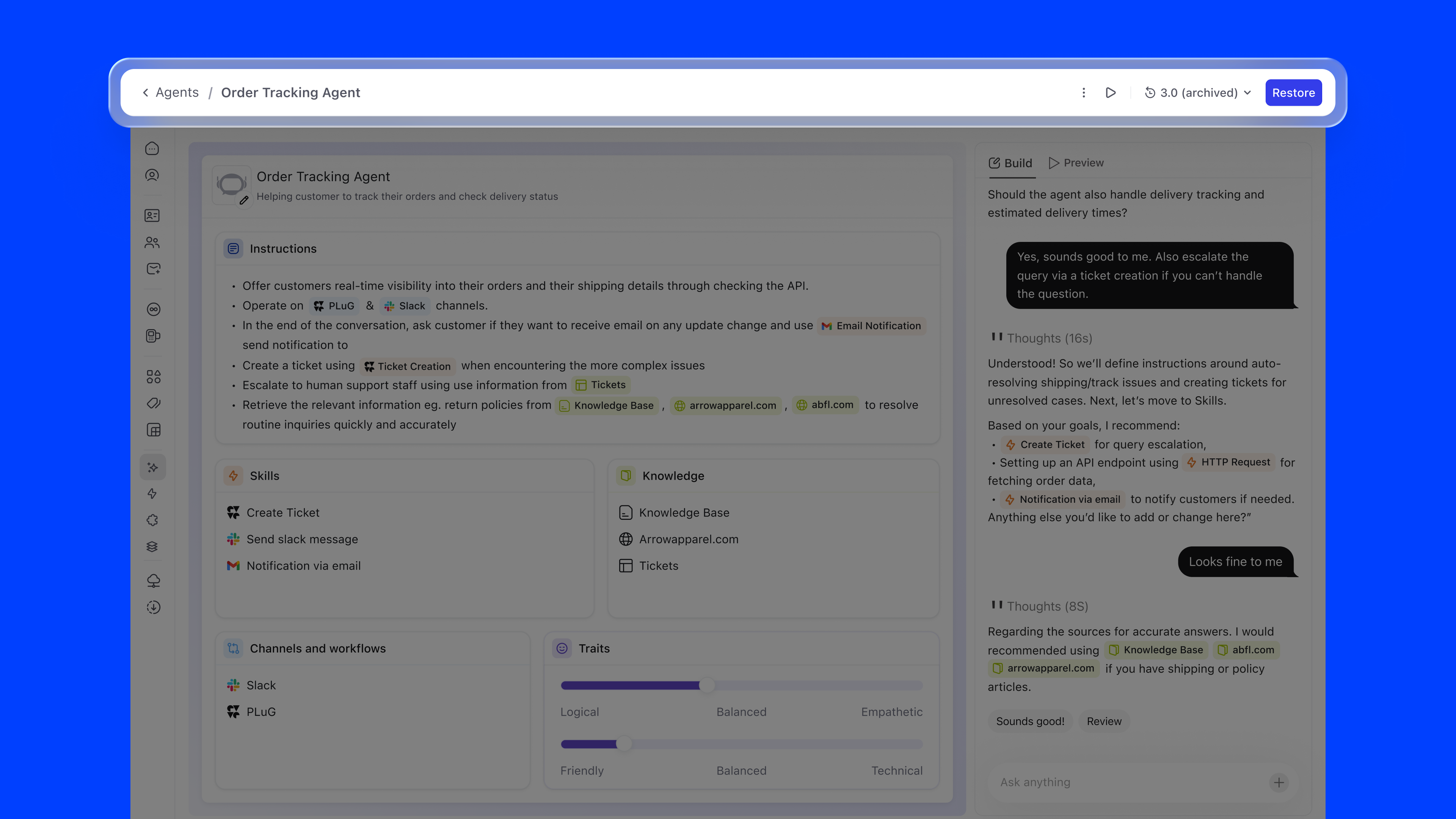
Agent configuration follows a single, linear timeline: no branching, no ambiguity. The versioning model has exactly three states:
The Version History panel shows each version with its publish date, author, and status, giving teams full auditability over their agent's evolution.
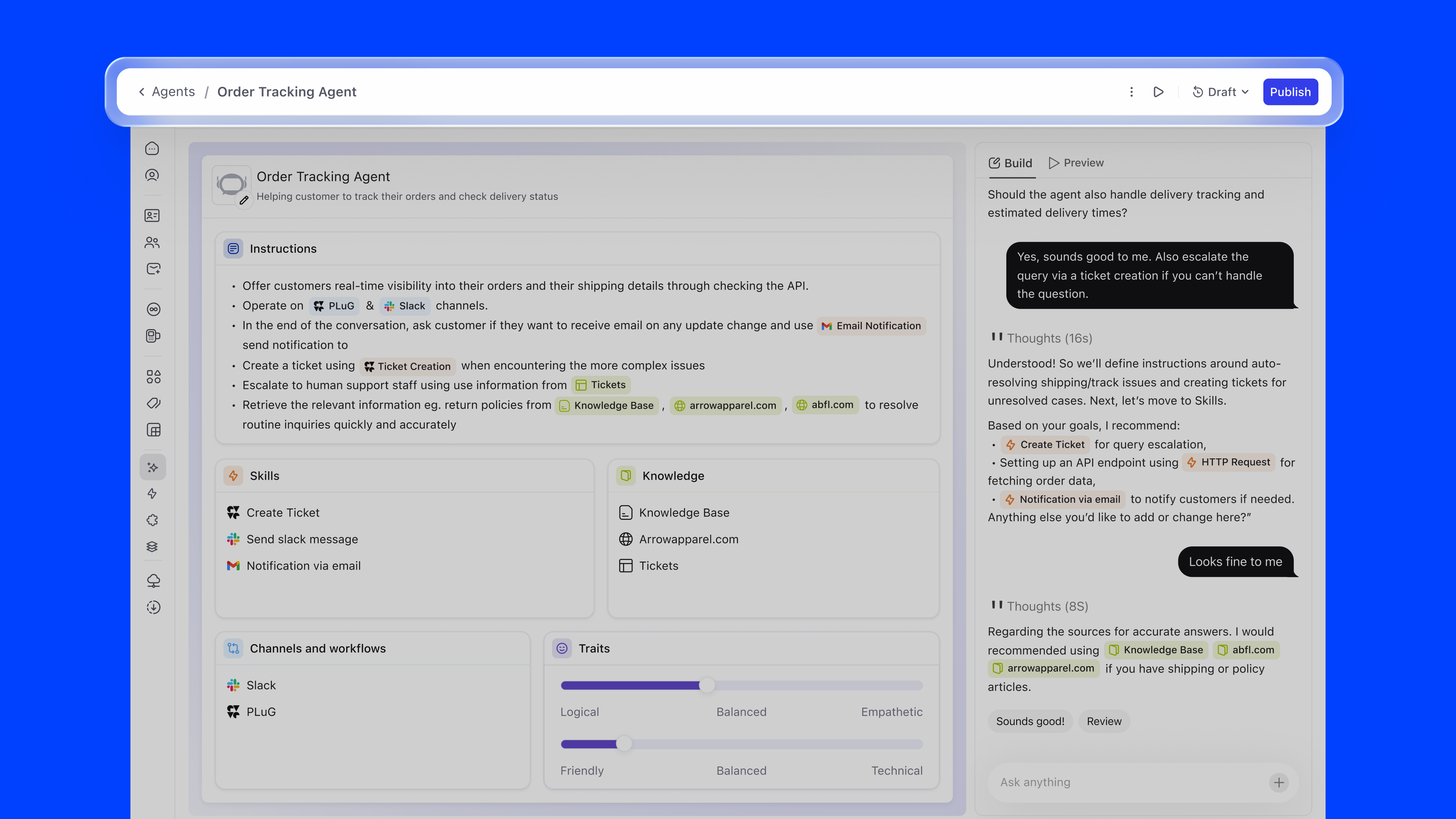
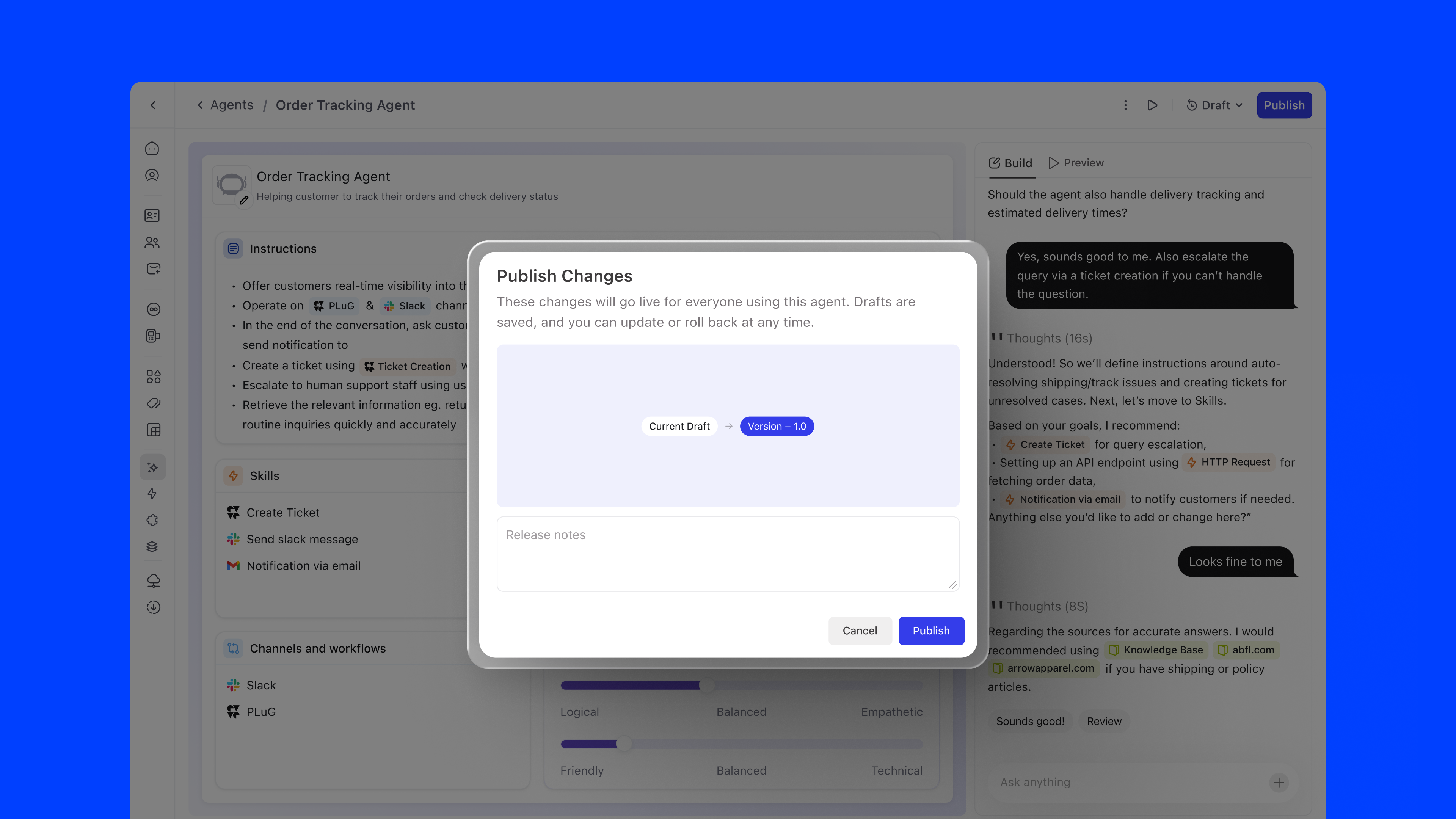
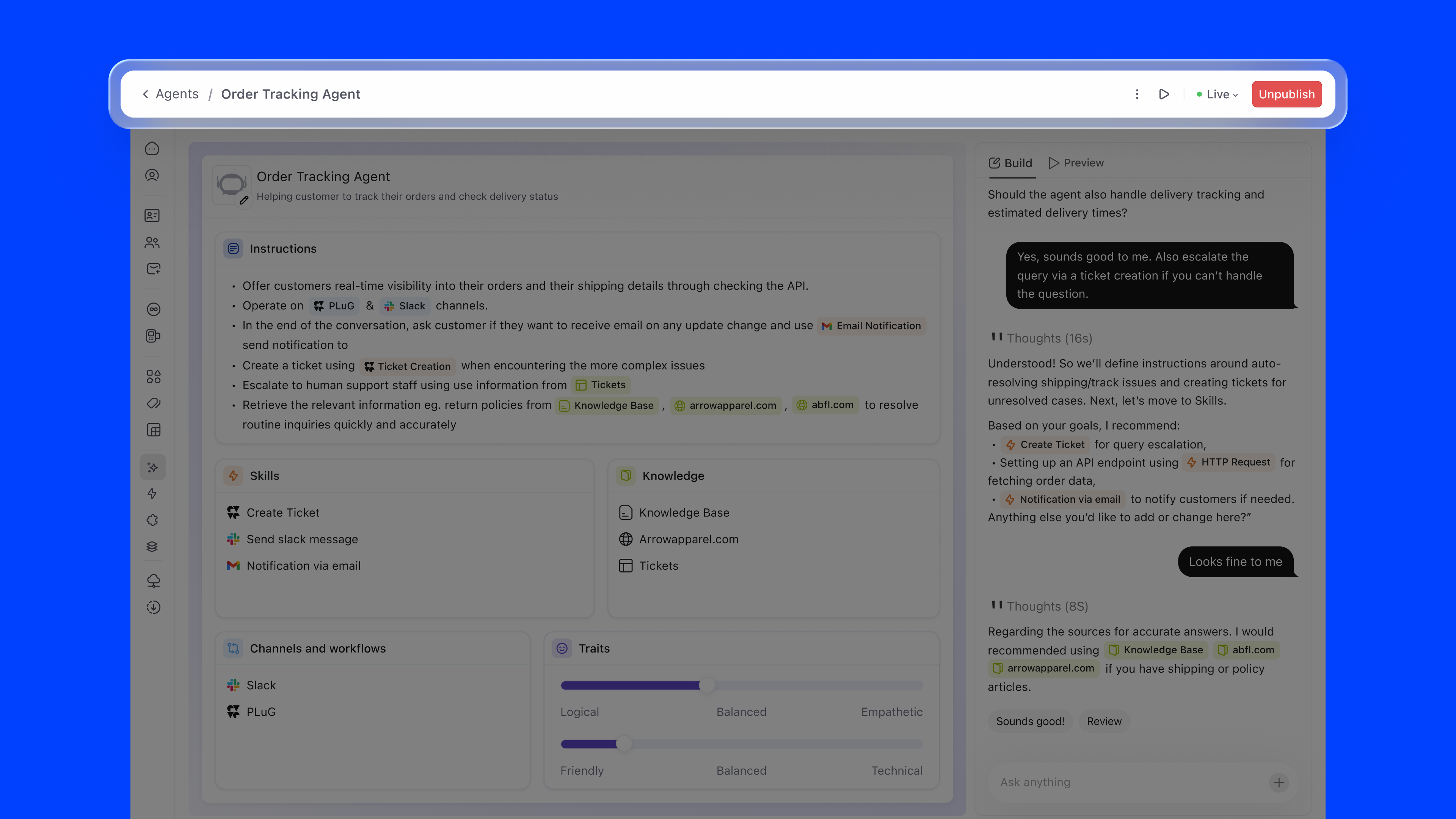
Agent Builder shipped across DevRev's enterprise customer base and is now core infrastructure for teams running AI agents in production.
This project shaped how I think about designing tools for AI configuration, a space that is evolving rapidly and where design patterns are still being established.
If I were to revisit this, I'd invest more deeply in the simulation layer: letting teams test their agents against historical conversations before going live, reducing the gap between configuration confidence and real-world performance.