1 / 1
During the summer of 22, I had the opportunity to work as a Product Design Intern at Teachmint in Bengaluru for 10 weeks, where I worked with one of the best design teams I could have imagined. During my internship, I worked on redesigning the experience of the Study Material and Homework tab in virtual classrooms in the Teachmint App.

Teachmint is a leading provider of education infrastructure solutions. With 10 million+ downloads on the Play Store, it powers the education ecosystem to help students learn better by letting schools and private teachers create a virtual classroom (a digital space of ongoing physical classes to keep everything organized). Since it started, its classroom technology has helped millions of teachers create classrooms that are global and ready for the future.
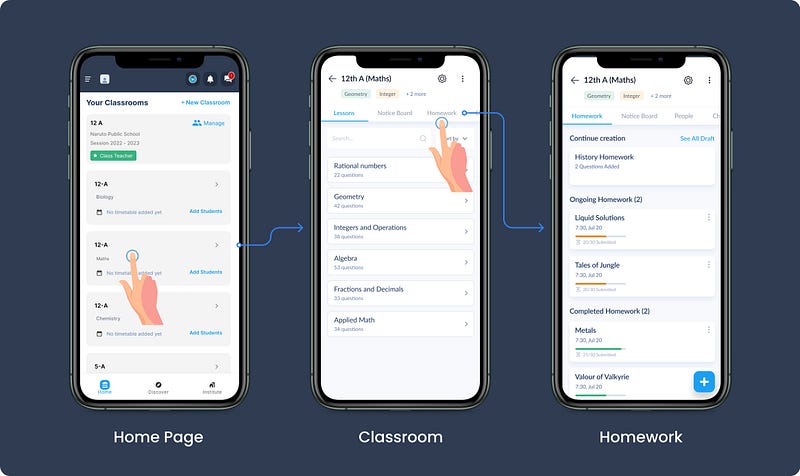
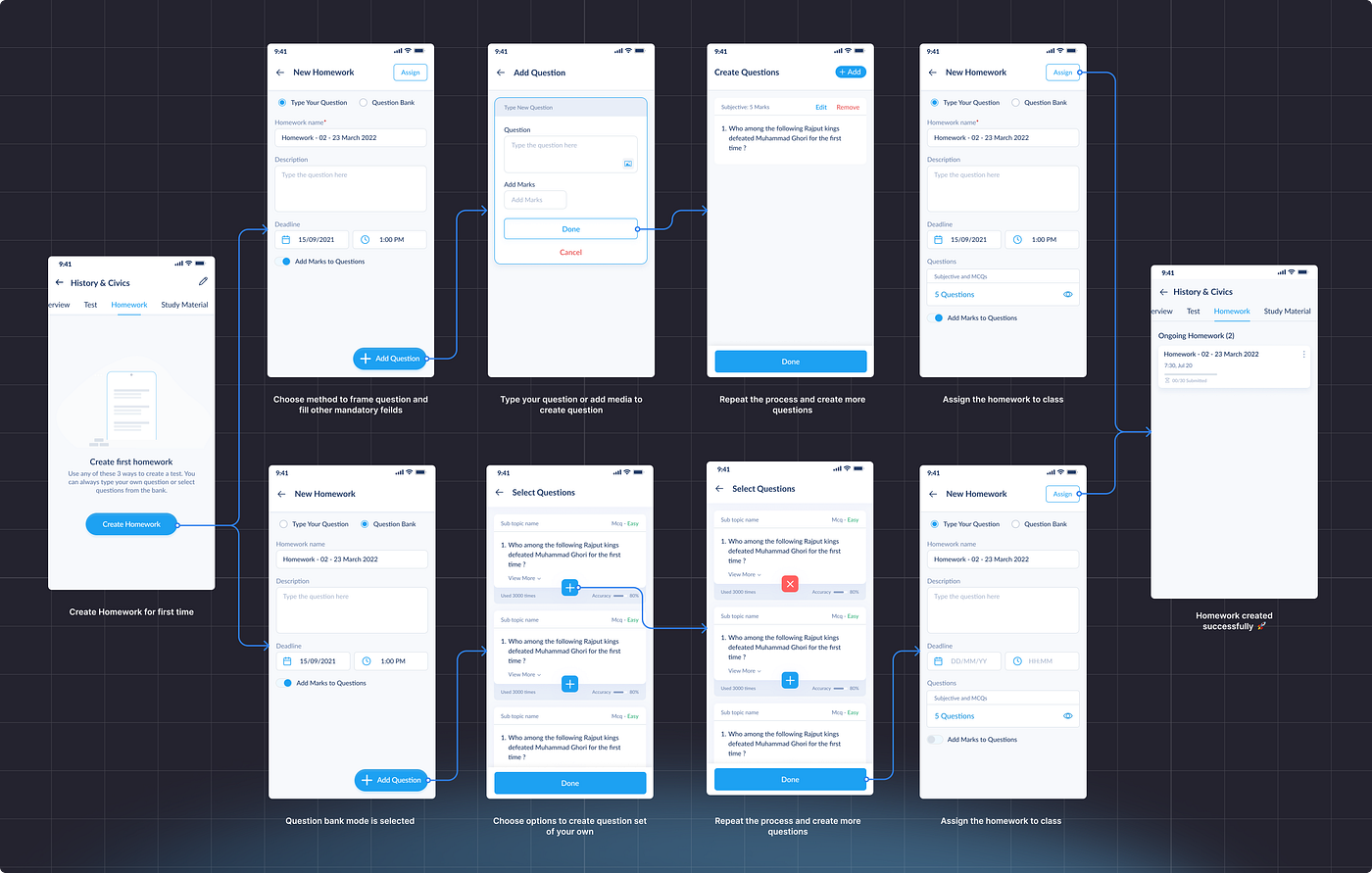
Homework is a section inside a virtual classroom used by teachers to assign a subject's homework in form of practice questions (powered by an outsourced power bank)
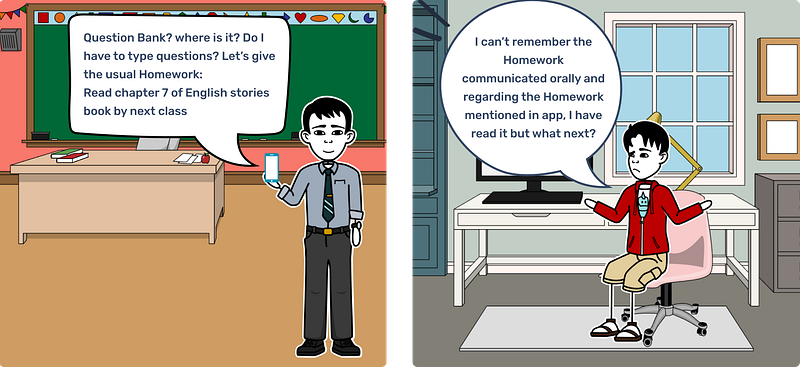
However, it is seen that the majority of teachers aren't using the homework section much and using it only for assigning homework like "Mark as Done" (eg. read chapter 2 of the English text book). However The current capabilities of the homework section only support the "Submission" type of Home (eg. Question/Answer).
Homework has been a staple of education for ages. It's the work students do at home to practice what they've learned in school. It's like a coach giving you extra exercises to improve your skills after practice, and we've all been through a phase where we hated almost everything about homework, and the root cause was: "Damn! I forgot about it."
Teachmint has been trying to bridge this gap by imitating a physical classroom in a digital, virtual classroom revolution. Homework goes from being scribbled in notebooks to being managed on an app. No more lost worksheets or forgotten assignments. It's as if your to-do list and Kanban board had a digital baby designed just for education.
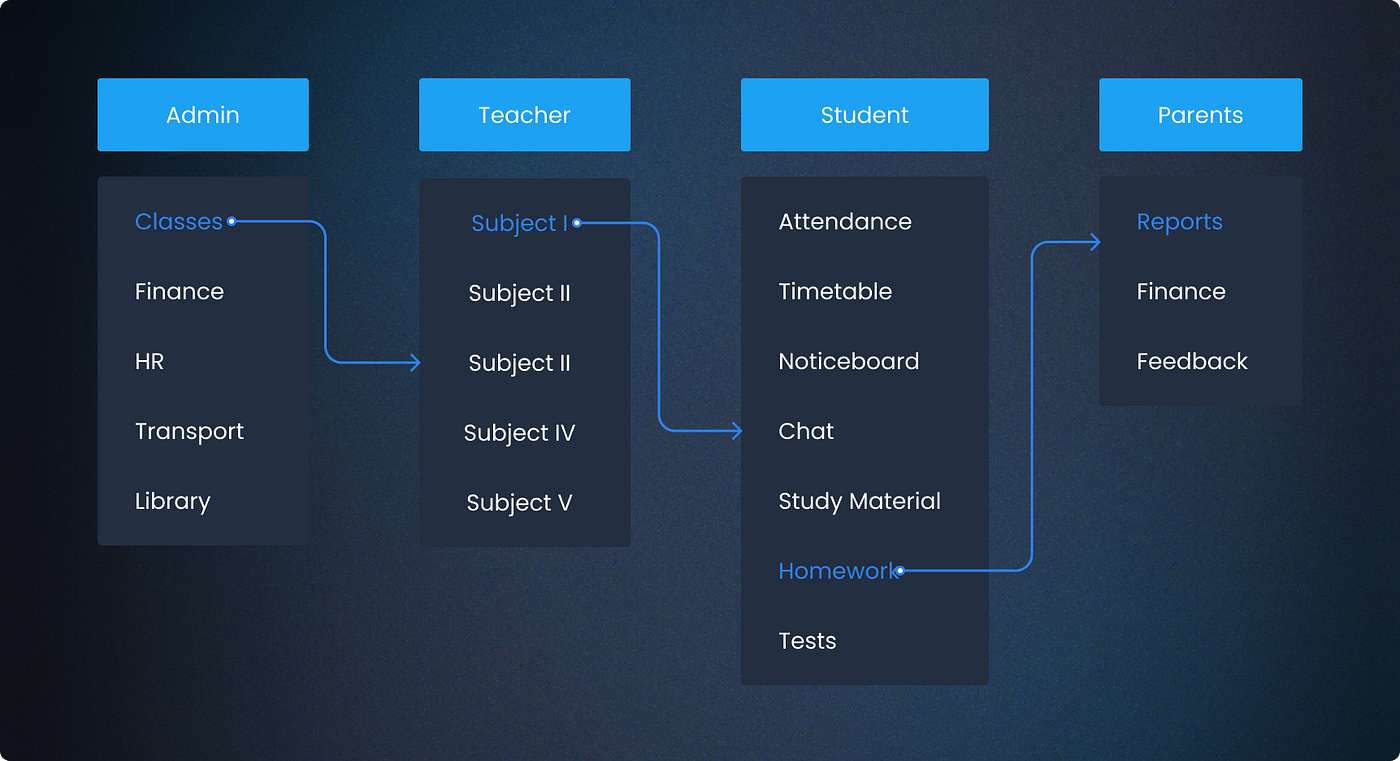
There are three major stakeholders in homework:
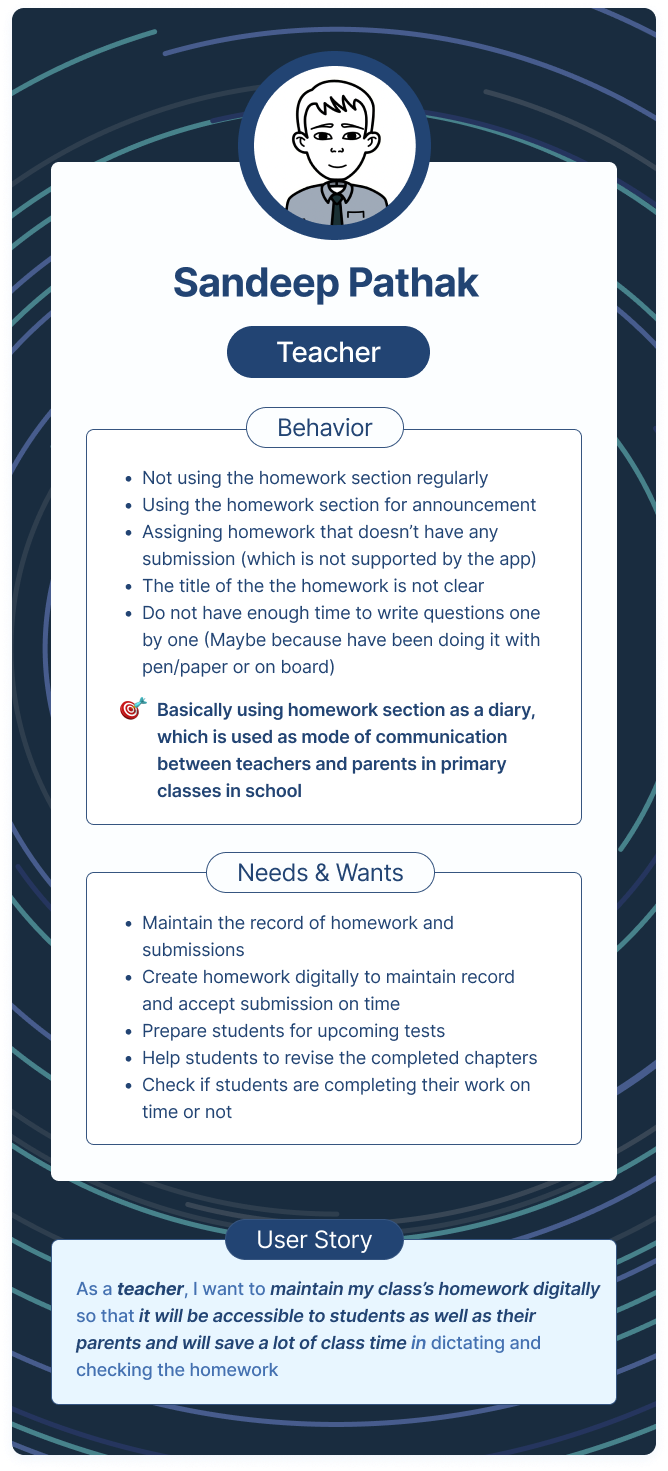
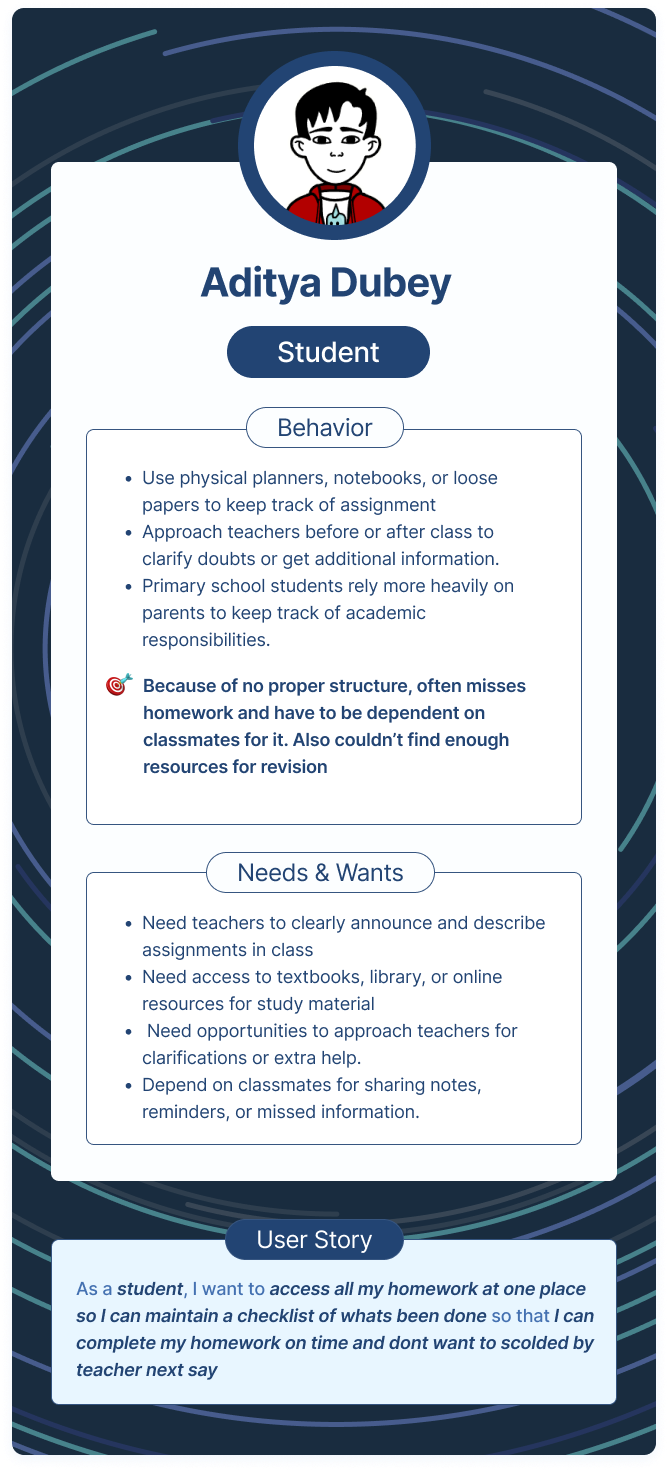
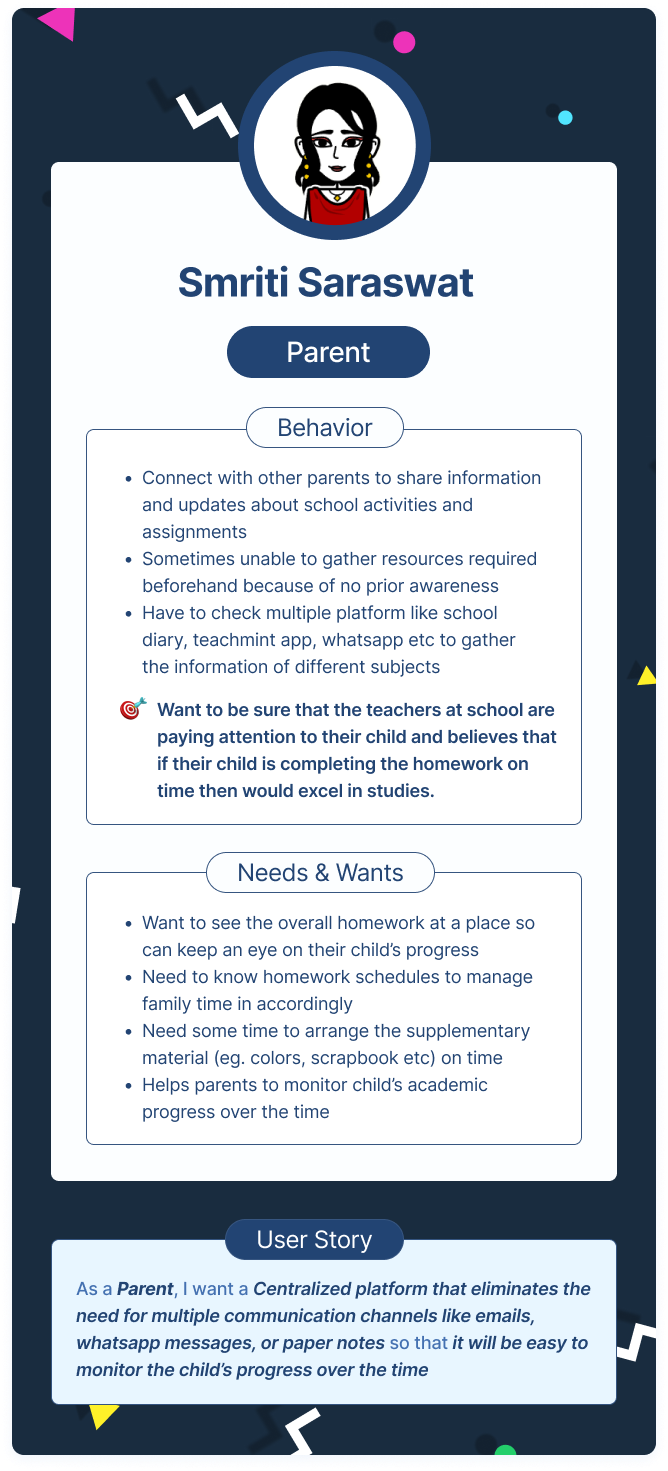
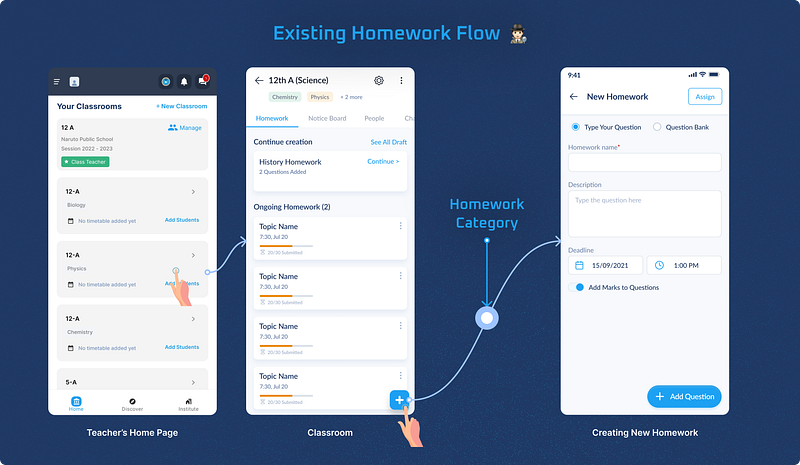
Currently, Teachmint provides two ways for teachers to frame the homework for students:
I went through one month's worth of data, consisting of 1400 entries, which came out to be something expected and similar to what I learned from my stakeholders' interviews.
Teachers were primarily using the homework section as a "School Diary" and would put every instruction like:
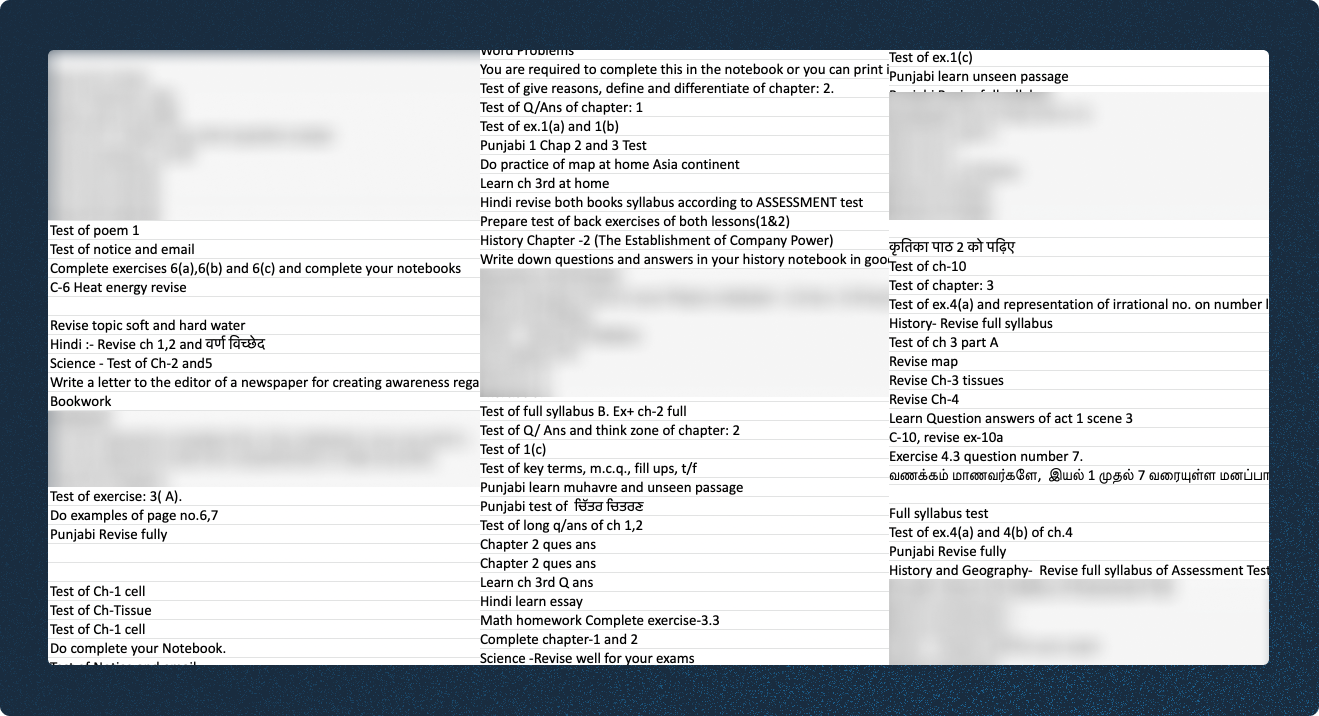
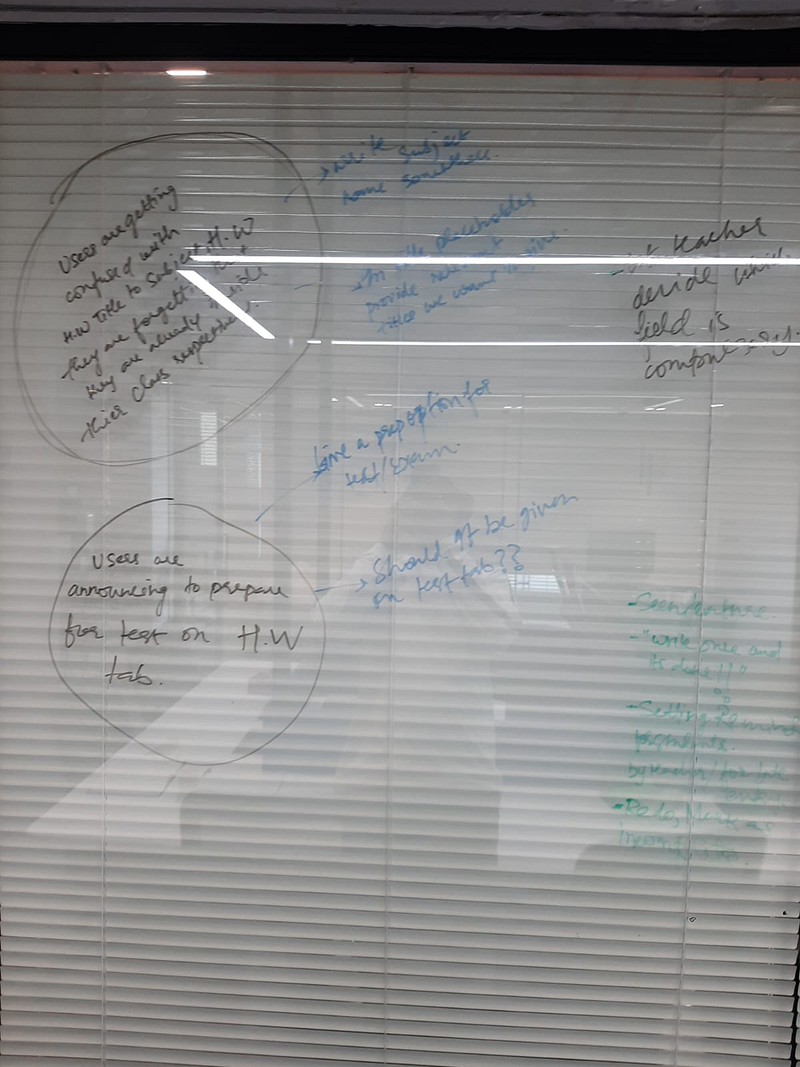
While having the set metrics in mind and scrolling through the existing data, we concluded that:
As discussed with the product team, the critical metric to be solved for the problem was:
Increase #teachers who gives homework
Increase #HW per teacher
Increase #HW consisting of question bank


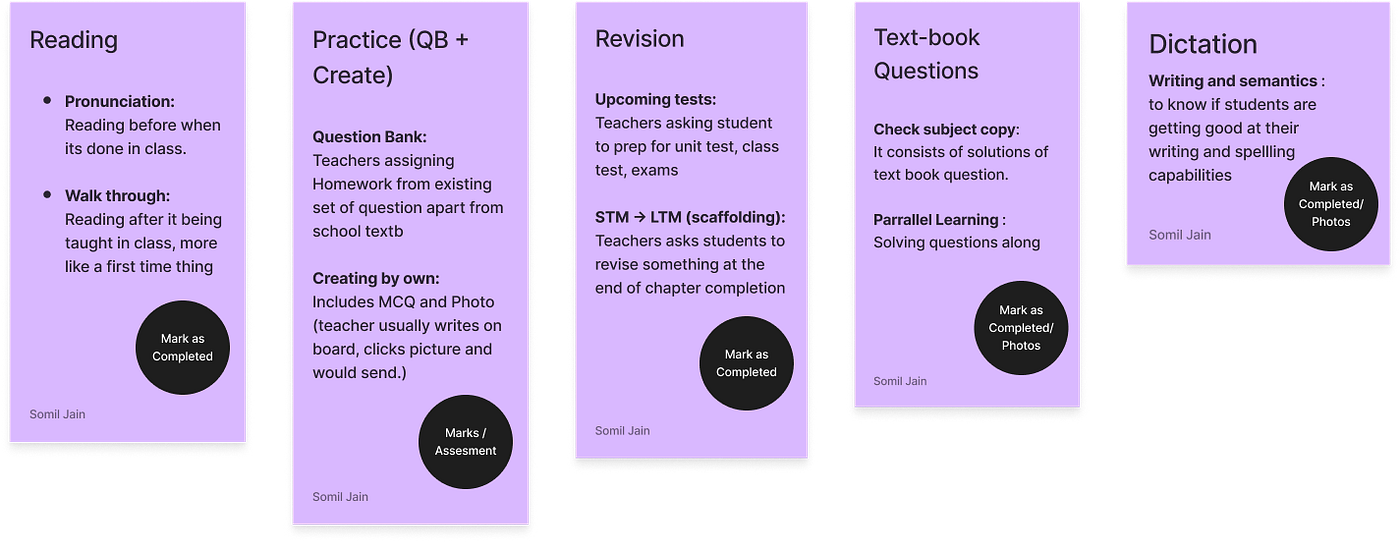
Every Saturday, Teachmint's KAM (operation managers) would go to various schools for teacher training, where they would let teachers know about the new features/updates and solve queries from their end. My manager, Rachit Garg and I went along to get better insights from the teachers. We could map around ten homework assignments in other subjects across many classes.
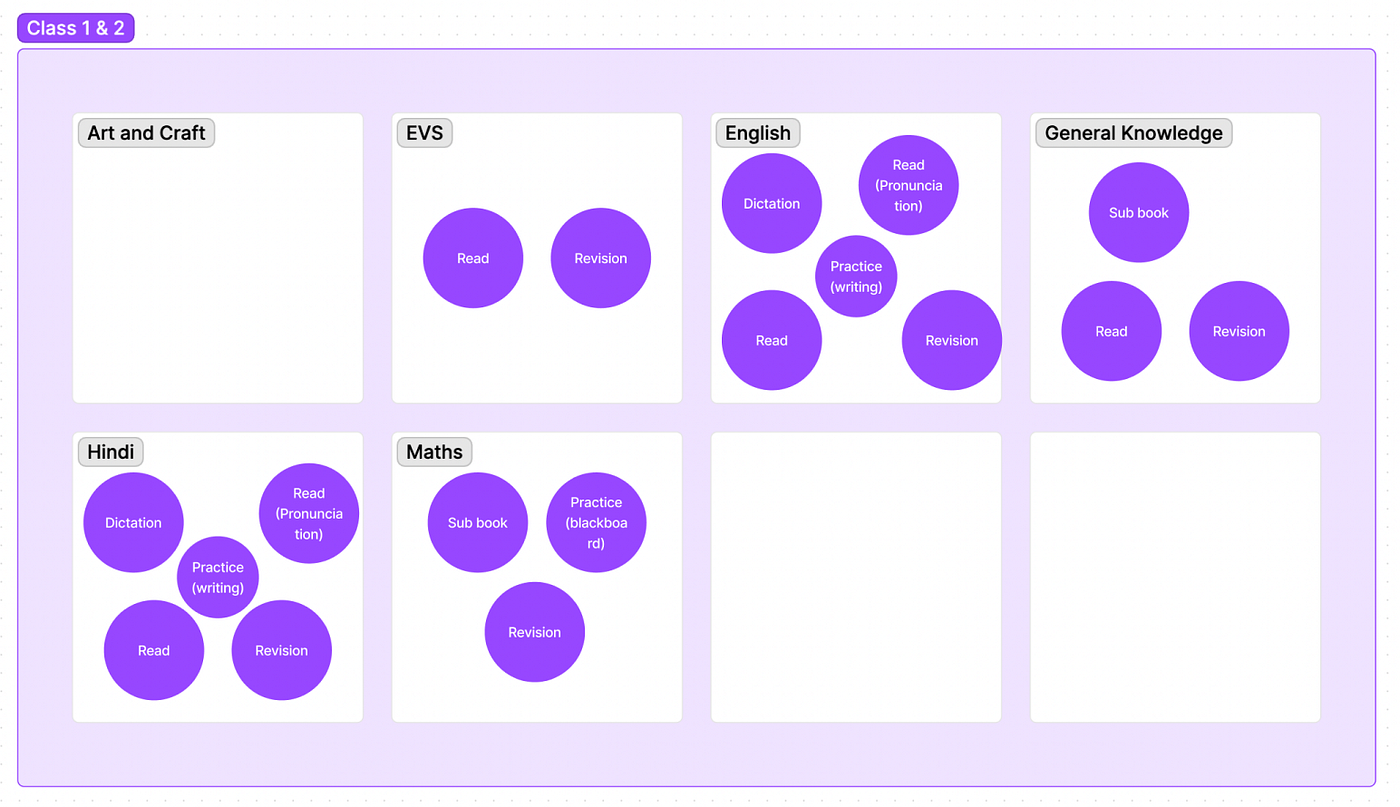
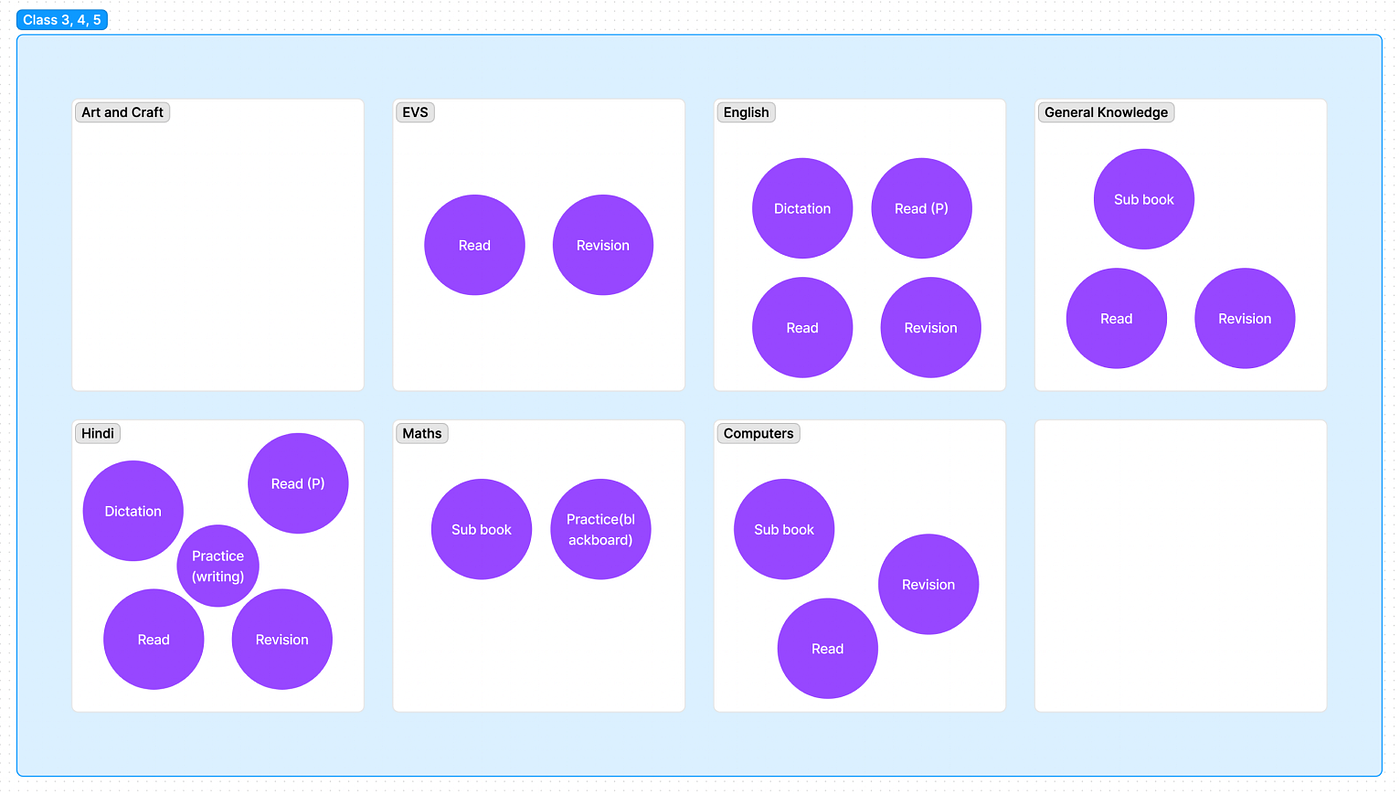
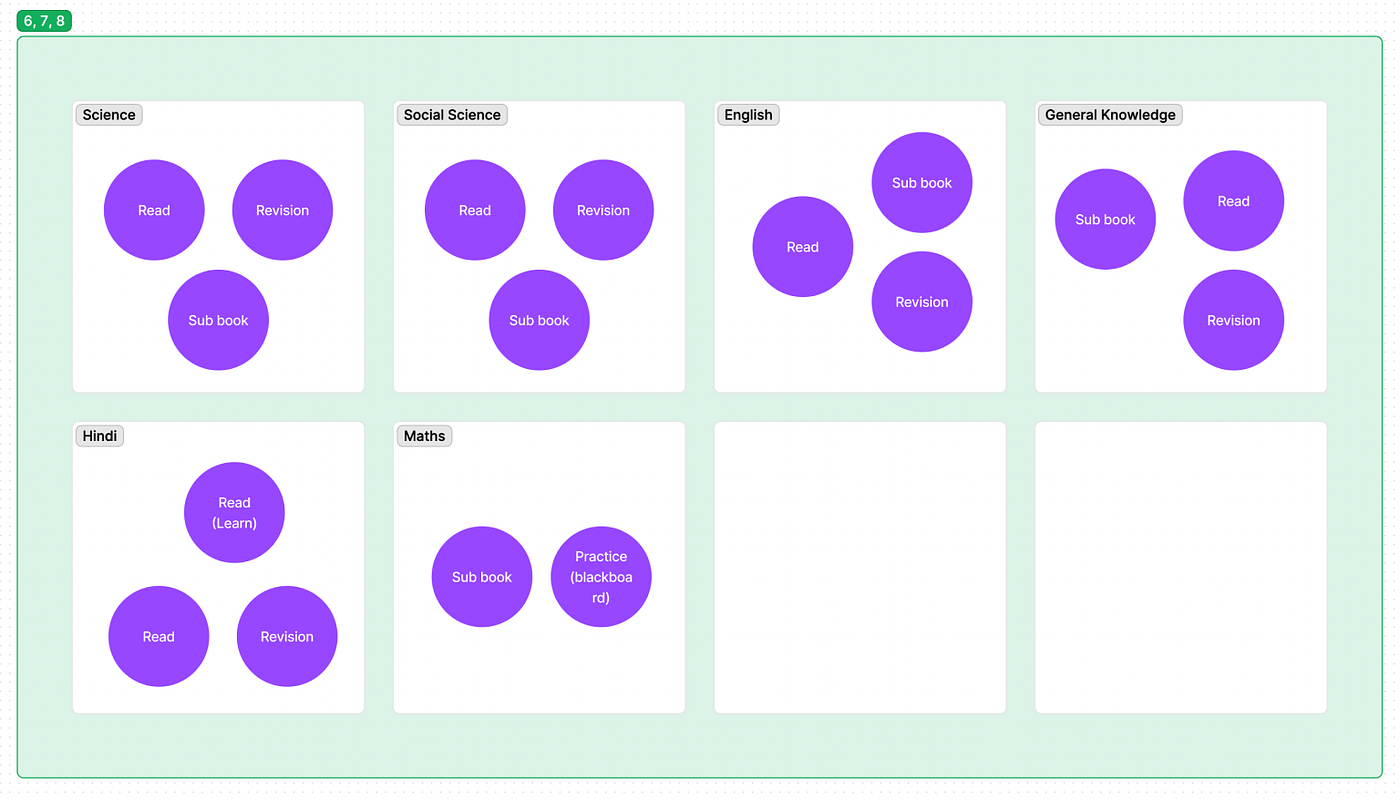
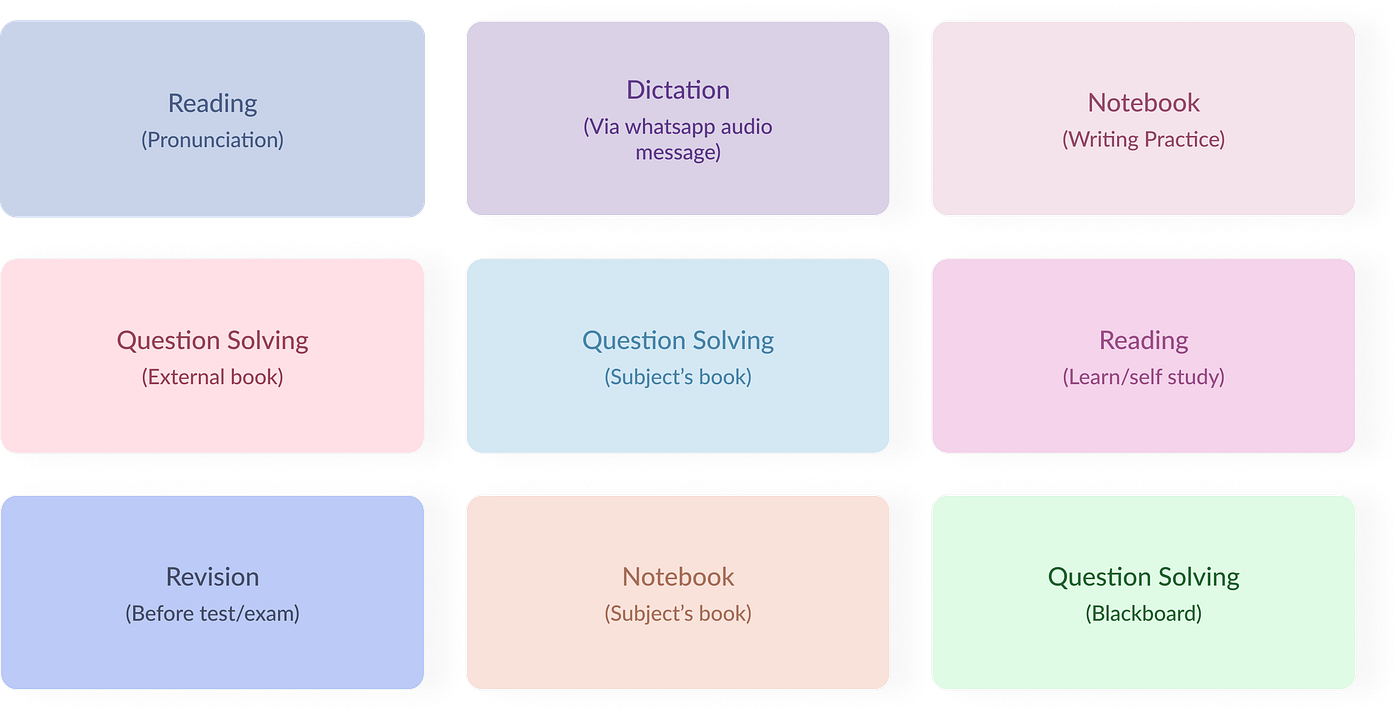
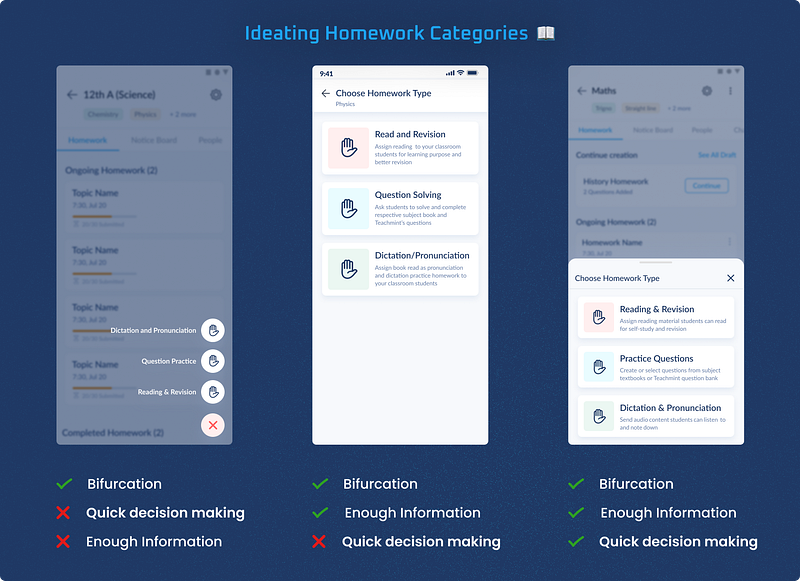
Instead of giving open-ended fields to users, we decided to nudge them to consider the type of homework it will be by choosing the homework category when the user taps on the "Create New" button.
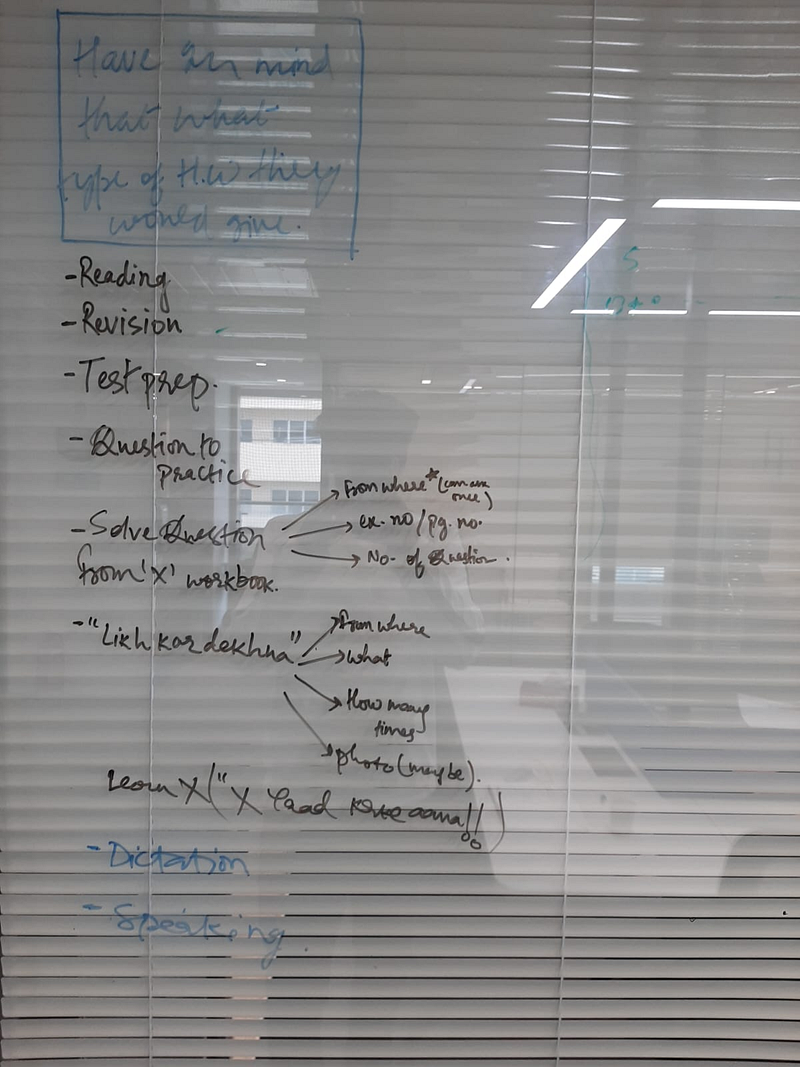
However, there are more than 10 types of homework, and asking teachers to choose from one of them would have caused unnecessary cognitive effort (Hick's Law), so we divided homework into 3 major categories:
This category provides a better structure for question-based assignments, a critical component of the learning process. Our research indicated that teachers were creating question-based homework but often had to curate it manually and weren't using the full potential of the Teachmint Question Bank.
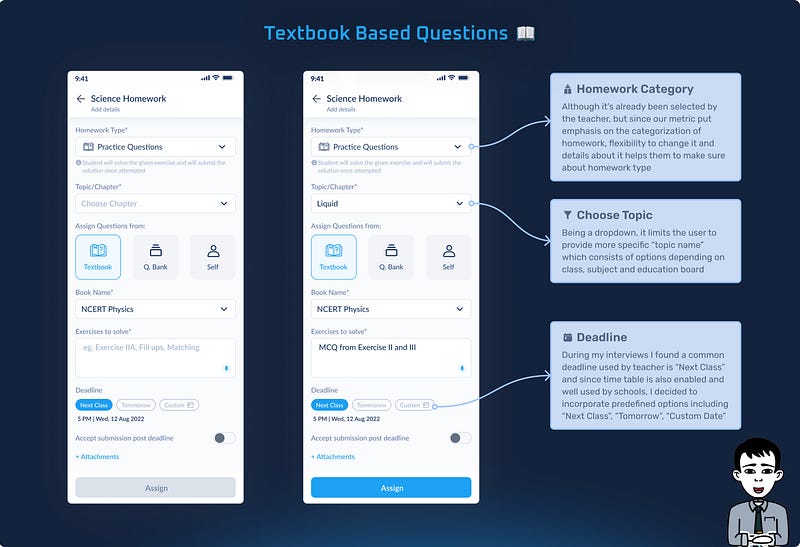
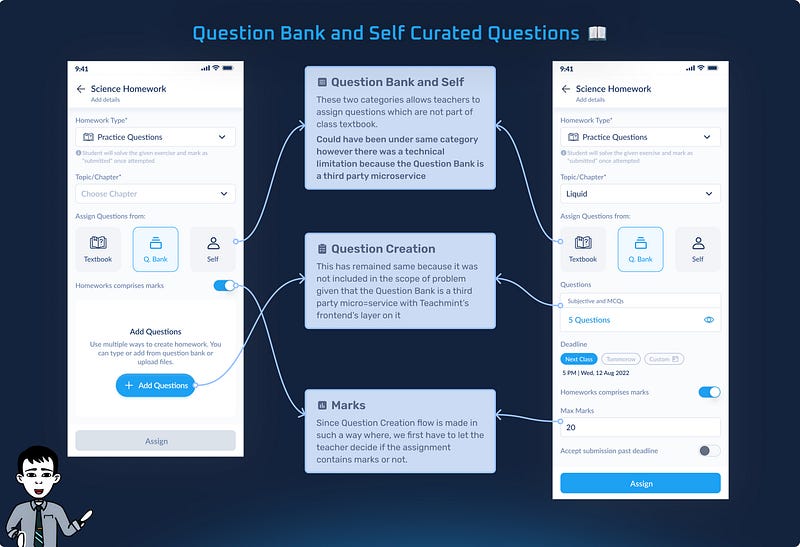
On average, there are 40 students per Teacher on the Teachmint app and in some cases (especially for primary schools), parents are the sole users of the app. As the first category, it would lay the foundation for the rest of the two categories regarding basic UI structure and should have:
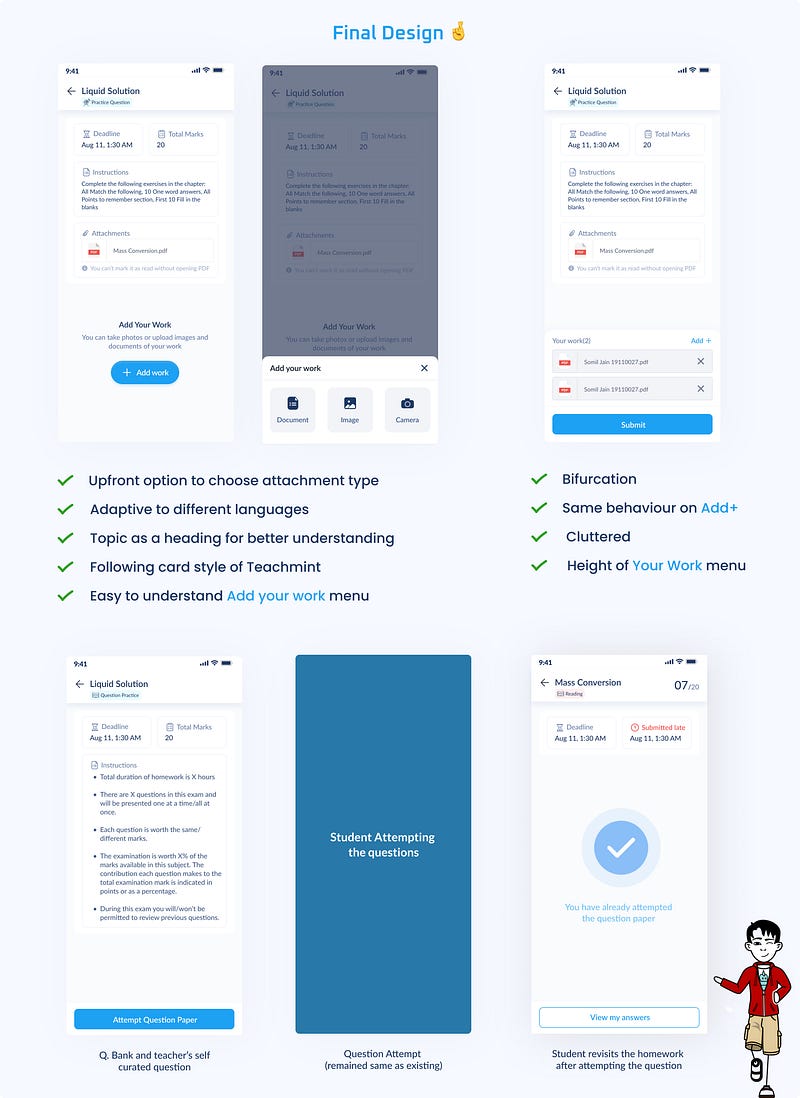
This category is more than just a functional change; it represents a shift in how educators and learners interact with the homework component of their digital educational experience.
One of the most significant advantages of this category is the reduction in time and effort required to remember the homework with more instruction quality than just solving tasks.
Previously, when schools were not using the Teachmint app for the education infrastructure:
However, teachers saw an opportunity to add instructional homework in the open fields in the homework section of the app, but this was not how the product team envisioned it because it only supported question-solving homework at the time.
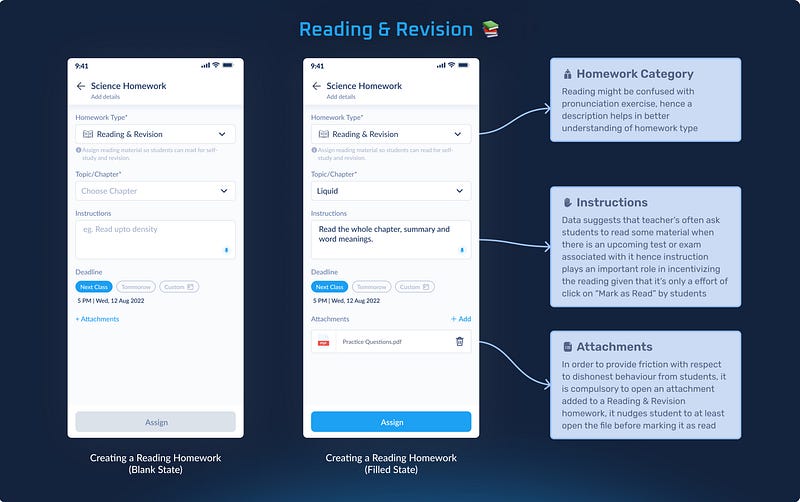
Often, teachers won't ask students if they have read or revised what they assigned to them, and irrespective, It is very easy for students to lie in class that they have read/revised what was being given by the teacher. Hence, we provided some friction before marking it as "Read" by following:
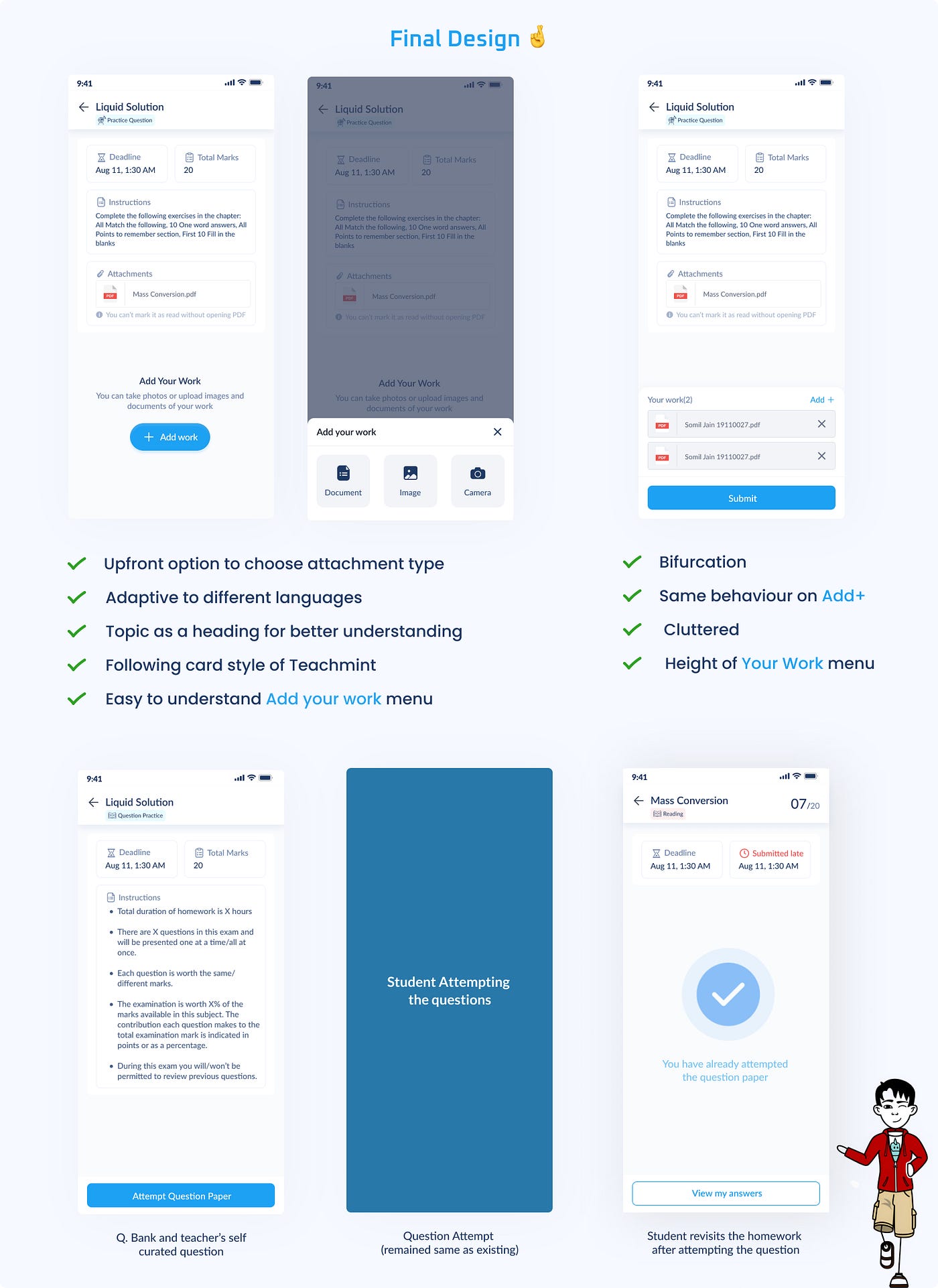
While ideating about this feature where students won't be allowed to mark their assignment as read, I learned that the in-app document reader (it was done to make sure that students wouldn't leave the platform) only allowed students to view the file and not include basic features like search, zoom, page numbers, etc and was causing a lot of problems.
Hence, we decided to let students download the file until we have the engineer bandwidth to create an inbuilt document reader with all the basic functionalities required to read a document.
This special category would be visible only to primary classes(specifically for language subjects). During Covid, when the education industry was completely disrupted, teachers, students and parents were suddenly exposed to digital applications they weren't aware of. They used apps like WhatsApp and YouTube as mediums of communication that would naturally occur within a physical classroom.
Pronunciation as homework never seemed possible before Covid, and during Covid, teachers turned to WhatsApp for Pronunciation as classwork. This ignited the idea that we should try how it would turn out as homework.
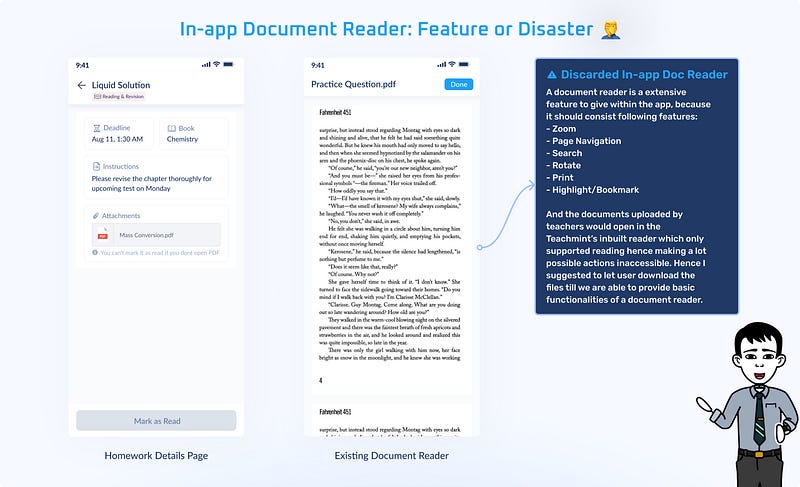
🗣️ Pronunciation: Teachers can assign chapters from school textbooks and add documents.
📝 Dictation: Teachers can record audio, add pre-recorded audio or use audio from the Teachmint audio library
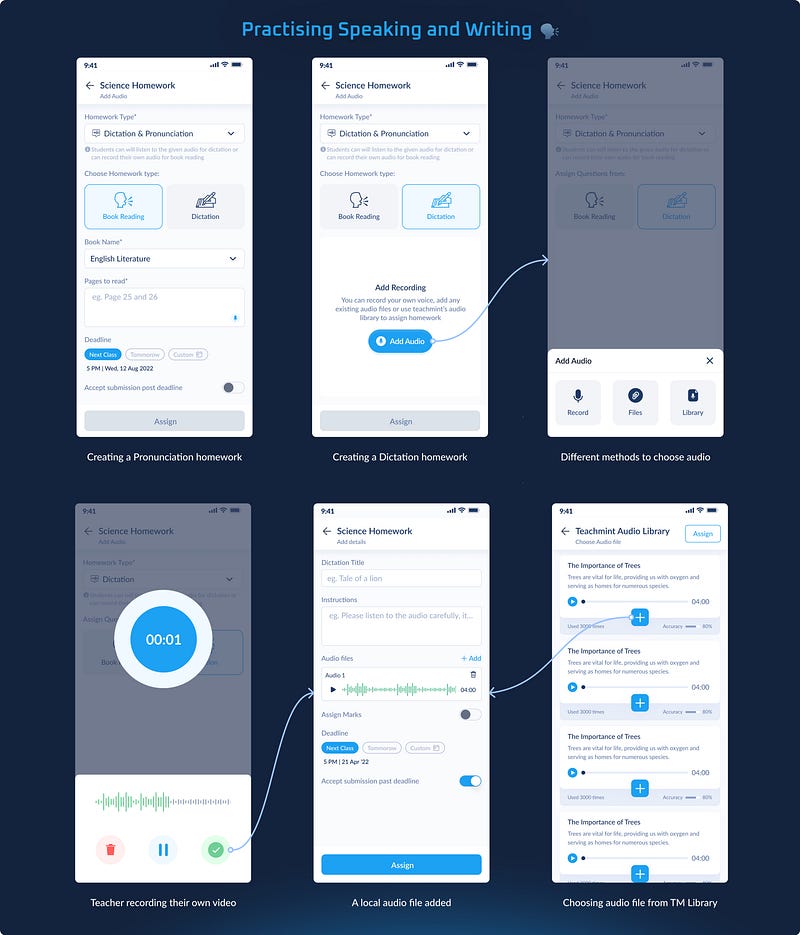
This allows students to listen to the audio files as often as needed, facilitating better comprehension and practice. Also, clear guidelines remove ambiguity, helping students (and their parents) understand exactly what they must do.
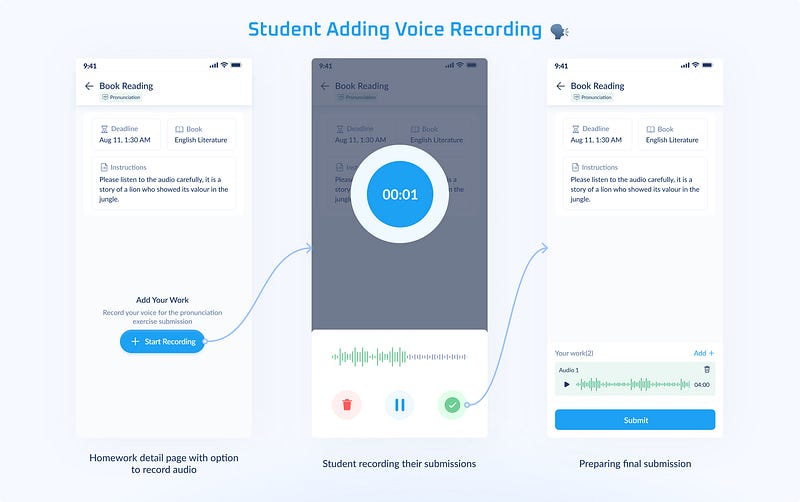
In the Dictation exercise, students must upload a photo/pdf of their work for assessment, equivalent to what happens in the Practice Question from the school textbook. However, for Pronunciation exercises, we only allowed students to use the in-app audio recorder to avoid plagiarism in homework.
Till now, we have discussed the need for the introduction of homework categories (Question Solving, Read & Revision, and Dictation & Pronunciation), requirements for each category and problems faced along with my approach to overcome them while crafting them.
However, the process doesn't end here with teachers creating homework and students turning in the assignment because After this comes the major component of learning, i.e. Assessment and Feedback
Once an assignment is created, based on submission, it can be bifurcated into 3 major categories:
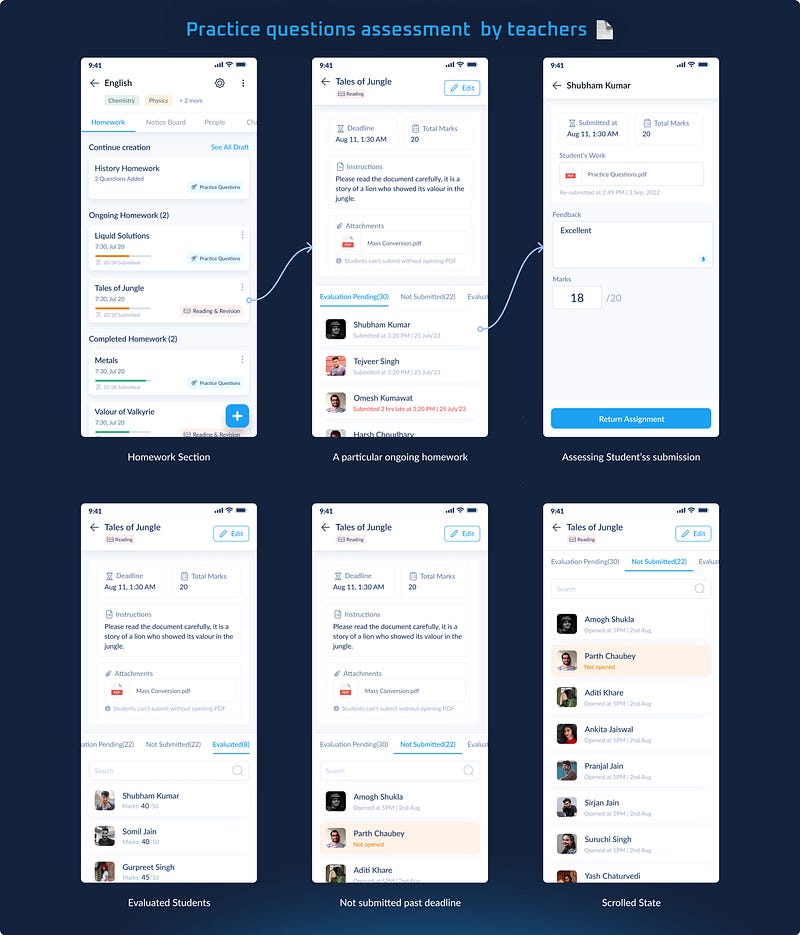
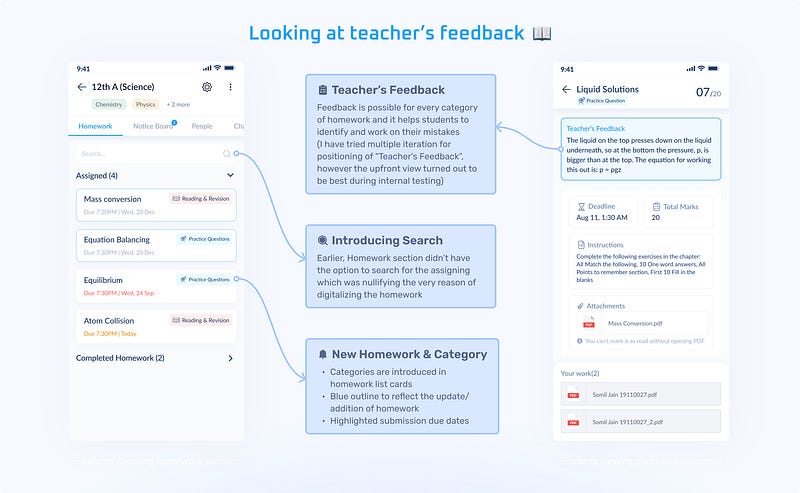
Every homework-related update is reflected in the class's chat(also a push notification), which helps students to know if there has been any new assignment or any update on an existing assignment that leads to that particular assignment (which can be accessed directly from the homework section as well).
Here, students can view their submitted attempts for the assignment and marks obtained as the feedback given by the teacher, which can be used to know their mistakes and learn from them.
Leading Metric: There was 32% increase in teachers cohort and 40% increase in student cohort using Homework in 4 months.
Lagging Metric: 8% increase in usage of Question Bank and 22% increase in announcements(eg. Chemistry test on monday) by teachers in 4 months